1. Welcome to MigaMATCH
The platform is available on the web at auto.migamatch.com and as a smartphone app. You can reopen this manual at any time from the "User manual" entry in the menu (and from the Academy page), from the "OPEN THE MANUAL" button at the bottom of every platform email, and from the "Read the MANUAL" link during sign-up, always in your language.
MigaMATCH is a business matching platform: it connects professionals and entrepreneurs who can exchange referrals, clients and opportunities. The engine behind the platform is AIRA©, a proprietary algorithm that analyses thousands of profile combinations and selects for you the people with whom you have the highest probability of generating mutual business.
Why an "automatic" dashboard?
Traditional networking asks you to search, filter and contact people on your own: a long job with plenty of dead ends. MigaMATCH flips the model: AIRA selects and delivers the matches to you — what's left for you is the valuable part, meeting the person and building the relationship. That's why the platform is called the "Auto Dashboard": the selection is automatic, the meeting is human.
The benefits at a glance
- Zero manual searching: matches arrive on their own, already selected for how well your profiles complement each other.
- Quality guaranteed by feedback: every meeting is rated, so uncooperative people are progressively filtered out of the network.
- A match that doesn't convince you gets replaced: with a rating of 3 stars or less, you receive a new match.
- The more you use the platform, the better it works: every piece of feedback teaches AIRA to select better for you.
A note on the screenshots. All the images in this manual were produced in a demo environment: the names, companies and figures you see are sample data, not real people. The appearance of the pages may evolve slightly over time.
AI transparency note. MigaMATCH uses artificial-intelligence systems to analyse profiles and match professionals with each other. For information on how these systems work, write to support@migamatch.com.
2. First access and login
Page: /login
How it works
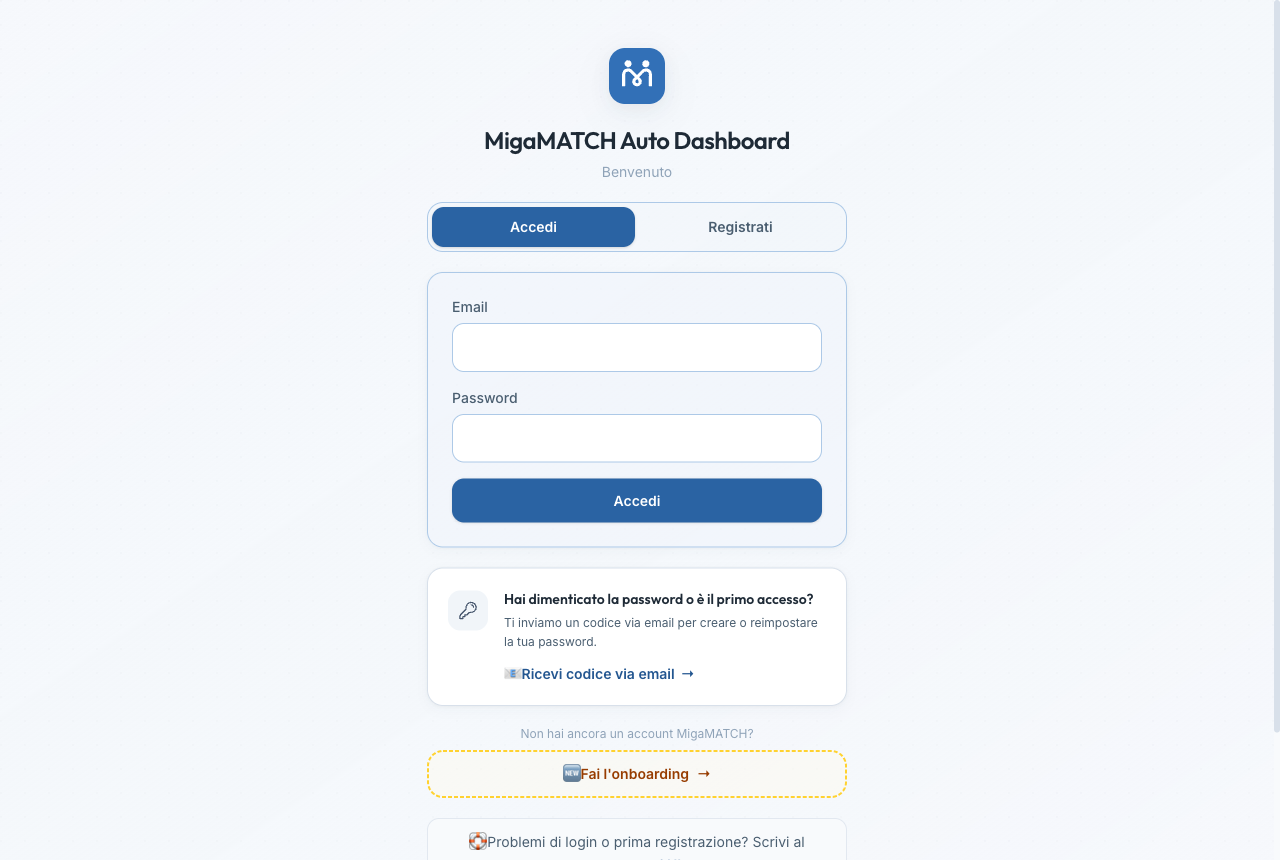
- Already registered: log in with your email and password. If your address isn't confirmed yet, the page notices on its own and opens the "Your email isn't confirmed yet" panel right there: you type the 8-digit code without leaving the login page, with a button to have it resent.
- First access or forgotten password: request a code, receive an 8-digit numeric code by email, type it into the page and set your password.
- "I already have a code": if you received the code on another device (for example, you read the email on your phone but want to log in from your computer), this shortcut takes you straight to the code-entry screen.
- No account yet: the "Sign up" tab on the same page opens a short form and then asks for the same 8-digit code, sent to the address you typed: you get in only once you have entered it. Until then the password you have just chosen opens nothing — that is not a fault, it is the proof that the address is really yours. You can have the code sent again or leave with "I'll do it later, back to login"; if it does not arrive, what you read below applies.
Why a code to type instead of a clickable link?
Many corporate email systems automatically "open" the links in emails to check that they are safe. That invisible check used to consume the old access links before the user even clicked them, causing frustrating errors ("link expired or already used"). A numeric code you type cannot be consumed by any software: it always works, on any mailbox and on any device.
Benefits
- Reliable access even with heavily protected corporate mailboxes.
- You can read the code on one device and use it on another.
- No risk of intercepted links: the code is short-lived and works only for you.
If the code never arrives or is not accepted
First, check your spam folder: that is where it almost always ends up. If nothing has arrived after a few minutes, do not keep requesting new codes: asking for another one will not change the outcome.
If the code did arrive but the page will not accept it, there are almost always two causes. The first is a digit left out: the code always has 8, and while one is missing the button stays disabled and a counter under the field (“7 of 8 digits”) shows where you are, so you notice before submitting instead of getting a rejection; pasting it from the email always works, even with the spaces the copy drags along. The second is a superseded code: only the latest one you received works, for 60 minutes, so if you requested more than one the earlier ones stop working. The page says “expired” only when the 60 minutes have really passed: a wrong message would send you asking for a new code when rechecking the one you have is enough. If you see “Too many attempts in a short time”, wait a few minutes and try again.
Before writing to us, rule out the most common case: you already have an account and you are signing up again instead of signing in. If your address has been through MigaMATCH before (months ago, or just for one event), filling the form in again does not create a second account, because one email address means one person: that is what keeps your reliability, your matches and your history inside a single profile. The way in is the login page: “Forgot your password or first time here?” → “Get a code by email” sends you the 8-digit code with which you set a new password and enter the profile you already have. The answers you had just filled in are not lost: they stay saved on your profile and update it. And if the password you chose while signing up does not work, that is normal: your account keeps the one it already had, which is exactly why you go in through the code.
If there is no account, or you still cannot get in, at the bottom of the login page you will find “Trouble signing in or first-time access? Email support HERE”: the address you are using may not be the one your account is registered with, and that is not something you can check yourself. Write to us with your first and last name and the address you are trying, and we will sort the access out for you.
If "Let's finish your profile" opens after you log in
If you get in and find a screen that covers the whole dashboard and will not close, this is not an access problem: your email and password worked, you are already inside. It happens when the account was created by a quick sign-up or by registering for a public event, so without the initial profiling: until that is done AIRA has nothing to work with and the dashboard would be empty. A chip tells you how many details are still missing, and the "Complete my profile" button opens the form: you can stop whenever you like, because whatever you fill in stays saved. If you get stuck, "Stuck? We'll help you on WhatsApp" writes to support. Resetting your password changes nothing: what is missing is not the password, it is the profile.
3. Initial profiling (onboarding)
Page: /onboarding — 16 steps
How it works
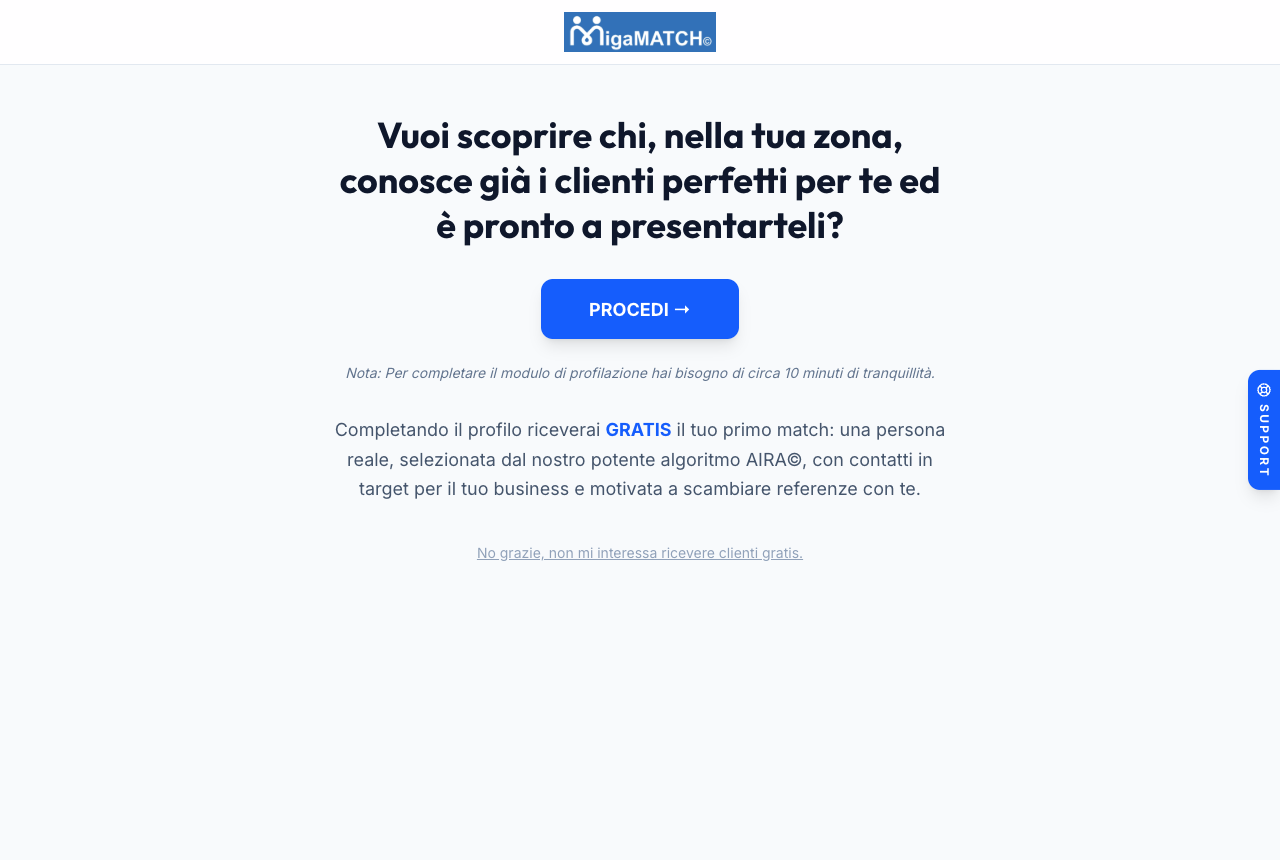
In 16 steps the form collects everything AIRA needs to work for you. It opens with the essentials — first name, last name, email and your tax code, which here is optional — then role and sector, biography, the sectors where you have influence, your geographic areas, the size of your network, your reciprocity goals, privacy consents and spoken languages. Only after the Terms and Conditions do you choose your match pace, and we ask for your contact and personal details (phone, home address, date of birth) and your business details (VAT number and company name). You can pick the address from the suggestions or type it yourself, as long as it has street, house number and town or postcode (e.g. "Via Roma 12, Milano"): an address the menu doesn't offer no longer blocks you, and if something is missing the message tells you what — the same rule applies in My Profile. As the Terms and Conditions state, the service is reserved for adults: you must be at least 18. At the end you confirm your email with an 8-digit code and your profile joins the network; if that address already has an account, instead of a confirmation code we offer you the way into the one you already have, because a second profile would do nothing for you.
If "Tax ID already registered" appears. That tax code already belongs to an active account, and the 8-digit code you need in order to continue is sent to that account's email address, shown masked. If it is yours, type the code and pick up the profile you already have. If that mailbox is not yours, or you no longer have access to it, remember that the tax code is optional here: leave it blank and carry on, or write to support.
Why is the form so detailed?
AIRA doesn't match people "at random", nor just by sector: it builds a vector profile of your professional identity and your needs, and compares it with those of thousands of other members. The quality of the matches you receive is directly proportional to the quality of the information you enter here. The time you invest here today is worth months of more precise matches tomorrow.
One step deserves its own explanation: the Value Manifest (step 3). Before your professional details, we ask you to embrace the network's values — concrete, action-driven, respectful people. It is not a formality: MigaMATCH only works if every member can trust the others, and trust begins with shared values. If you don't recognise yourself in those values, you can reread the Manifest and decide calmly; without accepting them, you cannot continue.
The order of the steps is a choice too: phone, home address, date of birth and VAT number come after the Terms and Conditions, never before. Until you have decided to accept them we ask you for nothing personal or fiscal — and for the same reason your tax code is optional at registration: it becomes mandatory only at the Shop checkout, where it is needed to issue your invoice.
How AIRA reasons — and how to optimise it

What follows is a simplified description of how the algorithm works. The weights applied in match deliveries, the analysis of feedback and the continuous training are the true secrets of AIRA© at its deepest core.
To understand how to improve your profile, you need to know, in broad terms, how AIRA reads it. For every member the algorithm builds two separate "imprints": what you OFFER (your biography and your influence area: the value you bring and the doors you can open) and what you SEEK (the avatar of your ideal client). A match is born by crossing them: your offer is compared with what the other person seeks, and their offer with what you seek. Never offer against offer — that comparison serves one purpose only: to recognise who sells the same thing as you and avoid introducing them to you.
The biography: tell the problem you solve
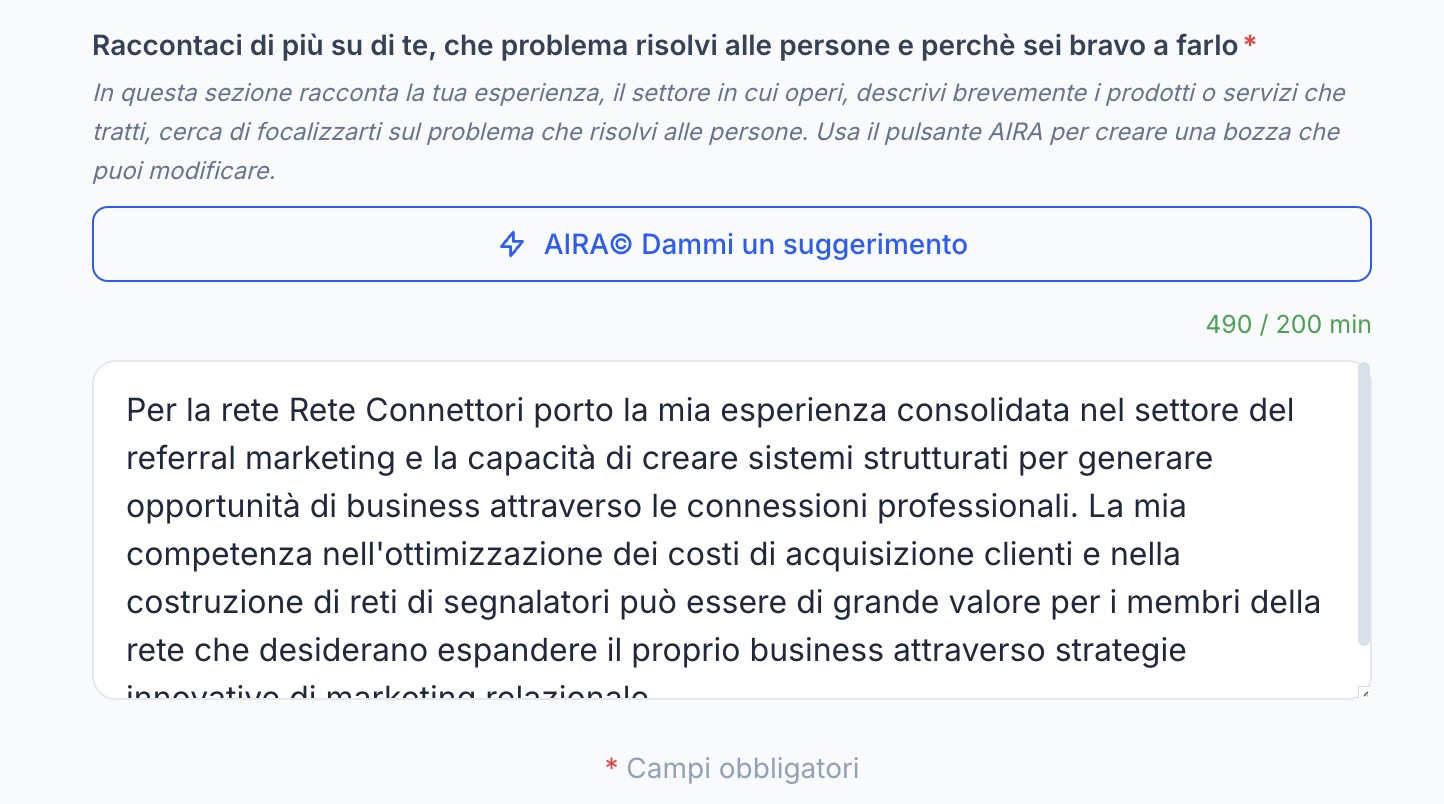
The biography is not a CV: it is the description of the problem you solve for people and of why you are good at solving it. Why it matters: it is the heaviest part of your "offer" — it is what gets compared with other members' client avatars. How to write it well: concrete and distinctive. A generic bio ("I help companies grow") resembles thousands of others: it produces generic matches and risks making you look interchangeable with people who only resemble you on the surface. Name the problem, the type of client, the result. The "AIRA© Give me a suggestion" button generates a well-structured draft: start from it and make it yours.
The client avatar: aim the radar
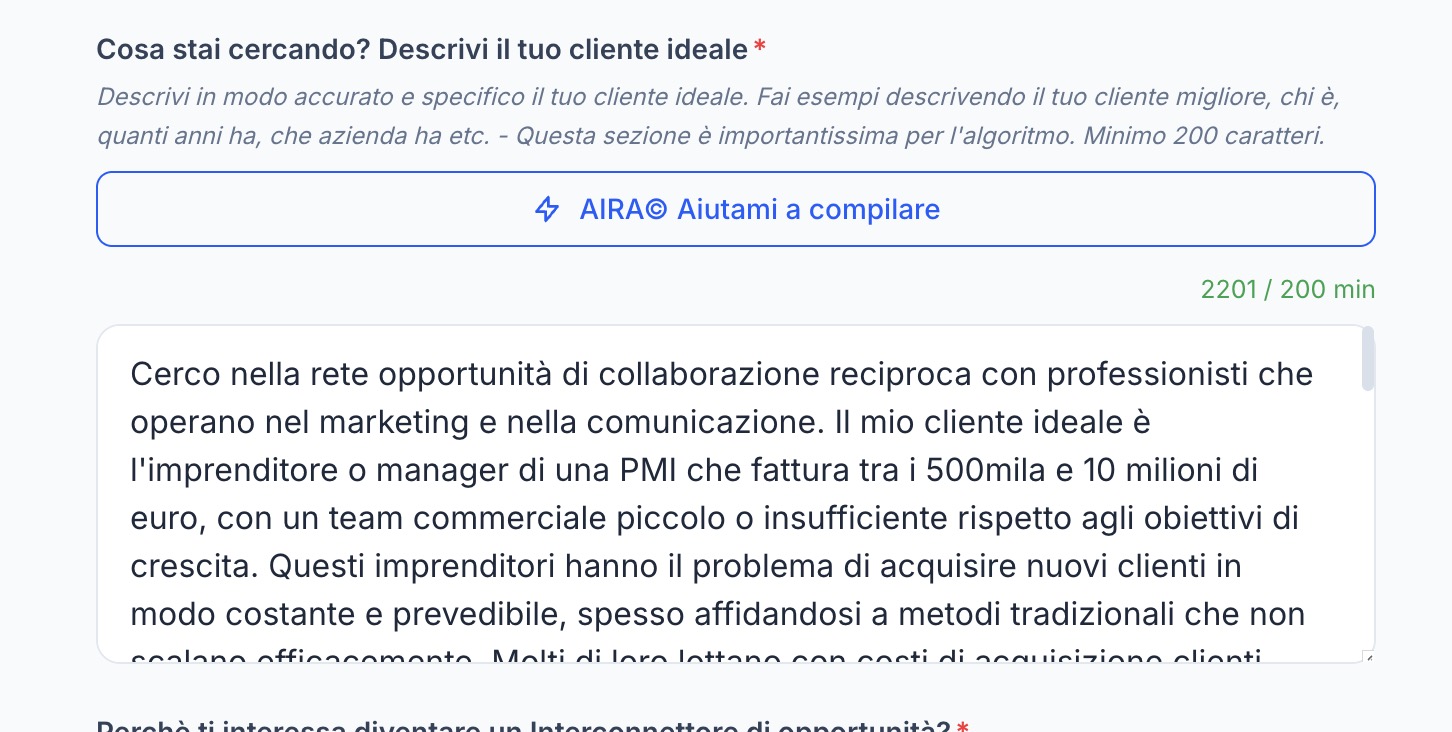
Here you describe your ideal client: who they are, what company they run, how much they turn over, what problem they live with. Why it matters: it is your "search" — it gets compared with the bios and networks of the other members, and it is what decides towards whom to aim the radar. How to write it well: specific, with numbers and real examples ("SME entrepreneur with 500 thousand to 10 million turnover, small sales team, struggling to acquire clients predictably" is worth a hundred times "I'm looking for entrepreneurs"). A vague avatar forces the algorithm to guess.
The influence area: where you can interconnect
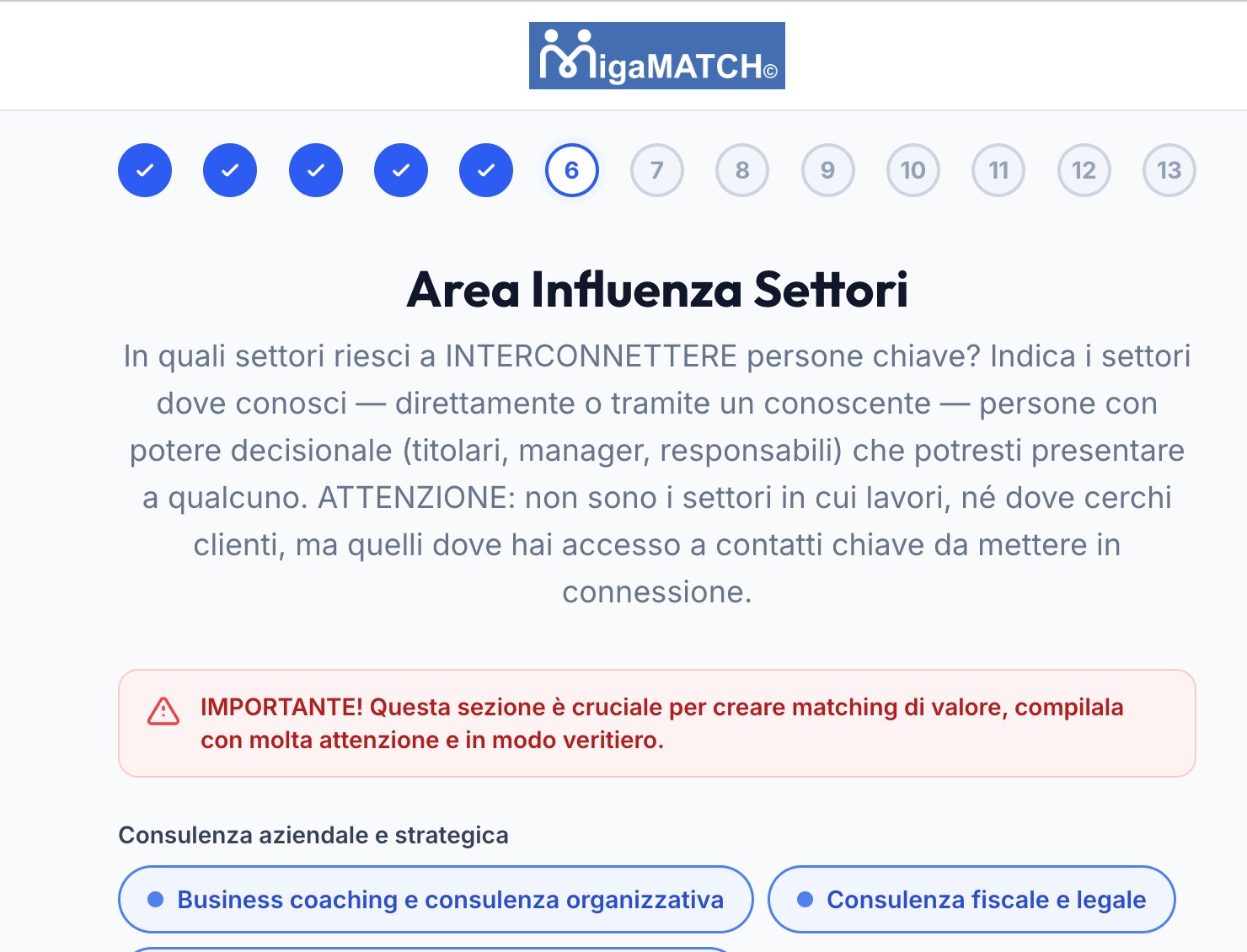
The most frequent misunderstanding of the whole onboarding. The influence area is not the sector you work in, nor the one where you look for clients: it is the sectors where you know — directly or through an acquaintance — people with decision-making power whom you could introduce to someone. Why it matters: it is the map of the doors you can open, and it weighs both on the matches you receive and on how often you are proposed to others. How to fill it in well: truthfully and completely. Inflating it brings matches you then cannot honour (and disappointing feedback); filling it in halfway hides value you really have. Revisit it every time your network grows.
"My matches don't seem in target: how do I improve my profile?" The checklist, in order of impact:
- Rewrite your biography around the problem you solve (use the AIRA© draft as a base): if it is generic, your matches will be generic.
- Make your client avatar specific: add company type, size, turnover, concrete problem.
- Review your influence area with the right criterion: where you can introduce people, not where you work.
- Check your geographic areas and regions: for some sectors proximity weighs a lot.
- Verify your matching type at the top of My Profile: reciprocity and transactional exchange attract different profiles.
Every save automatically recalculates your profile within about ten minutes — no action required. You measure the effect on the Potential page: if the in-target profiles grow after your changes, you are on the right track.
Benefits
- Your first matches are free: complete your profile and you receive real, in-target people motivated to exchange referrals with you.
- A complete profile makes you more "visible" to AIRA: more possible combinations, more quality matches.
- The biography and goals fields have a built-in AI assistant ("AIRA© Give me a suggestion") that helps you write them effectively.
Tip. You can stop and resume: if you log in again with an incomplete profile — or reopen the personal link we sent you — the platform brings you back to the right point in the form. If you press "Next" and nothing happens, a field needs fixing: the page takes you to the first one to correct, and the message next to it says what is missing.
If you stop halfway, we send you at most two email reminders, the last about a week later: they stop on their own as soon as you complete your profile, and each one lets you leave just these reminders or unsubscribe altogether. If something blocked you — a page that won't move on, an unclear field — reply to the email: a real person will help. Why: people who stop usually trip over a single detail, and a half-finished profile gives AIRA nothing to work with.
4. Your Matches — the main page
Page: / (the first menu item, "Your Matches")
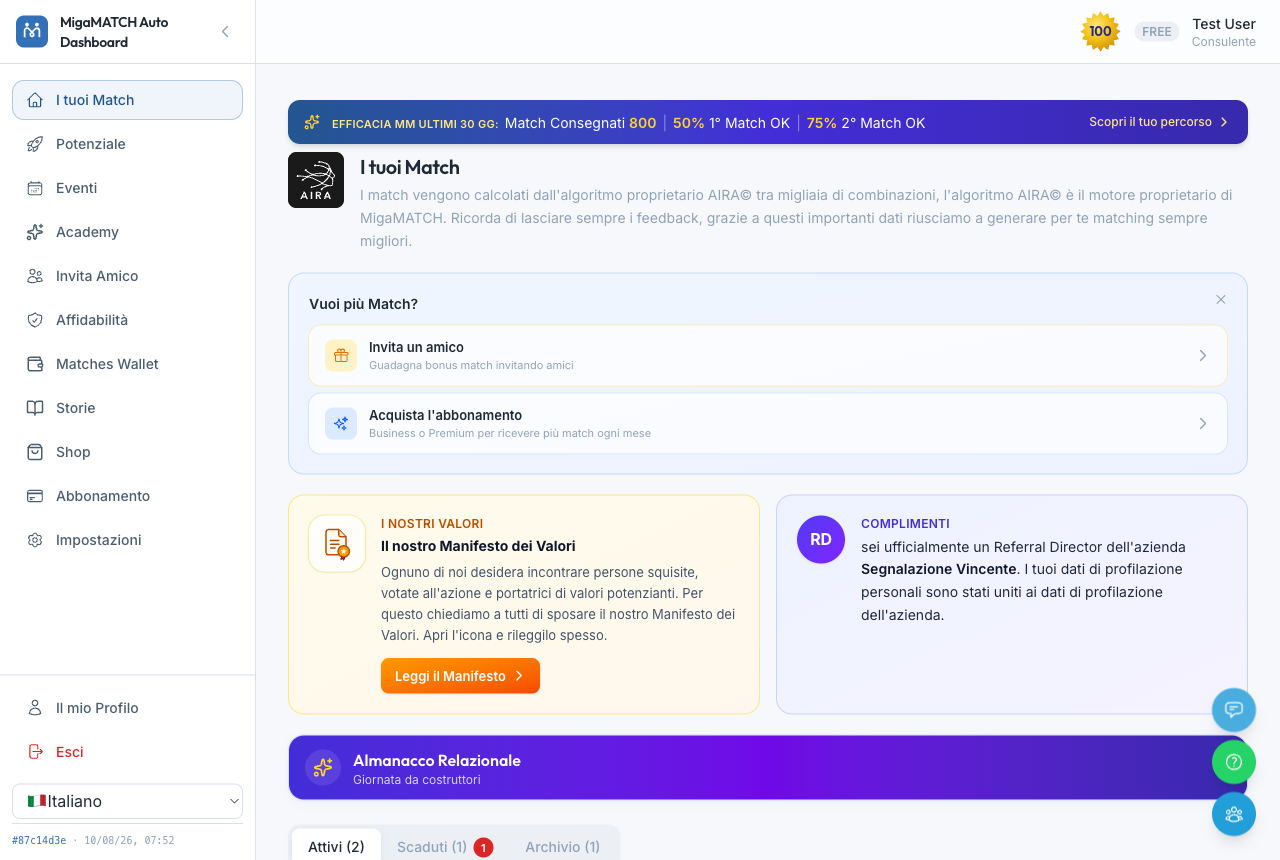
How it is organised
- Active: the matches you are working on right now (to contact, or awaiting feedback).
- Overdue: the matches whose feedback deadline has passed — the red number tells you how many you need to sort out.
- Archive: completed, cancelled or closed matches.
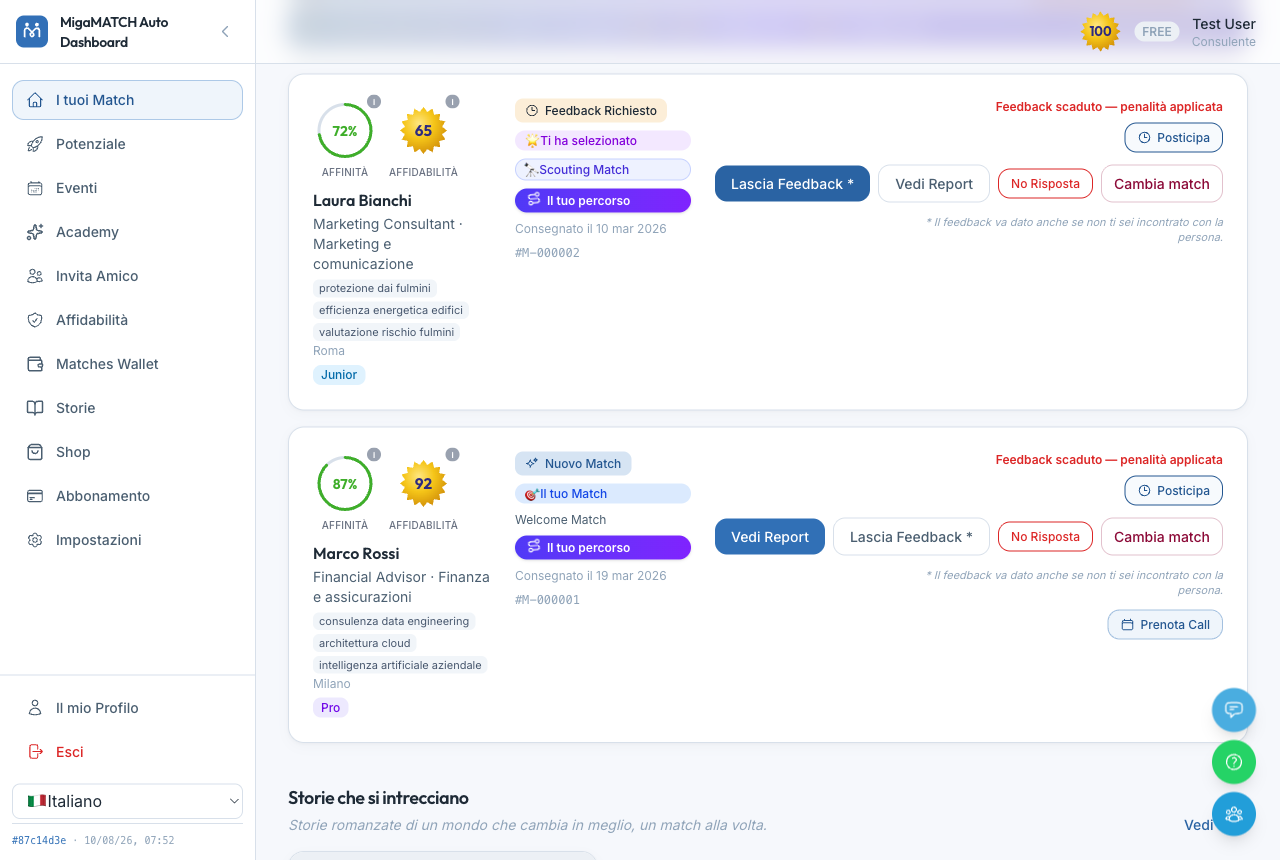
Reading a match card
- Affinity (green circle, as a percentage): how well your profiles complement each other. The higher it is, the greater the potential for exchange.
- Reliability (gold medal): the other person's reputation in the network — see section 8.
- 🎯 "Your Match": AIRA chose this person for you.
- 🌟 "Selected you": you were proposed to someone else — a sign that your profile is attracting interest.
- If you invited that person onto the platform yourself, the card also shows the ⚠️ "YOUR REFERRAL" badge: you might already know them, so in the feedback choose "No, it didn't happen" → "We already know each other" (section 6) to still get the free rematch, without forcing an unnecessary meeting.
- Labels such as Welcome Match (your welcome match), 🔭 Scouting Match, 🎁 the replacement match from a refund or "Requested via Business Radar" (a meeting requested from a showcase) tell you where that match comes from.
The actions on the card
- View Report: opens the full match report (section 5).
- Leave Feedback: tell us how it went (section 6). It must be given even if you never met.
- Postpone: if you are still arranging the meeting, this moves the feedback deadline forward by 1 to 4 weeks, your choice, with no penalty.
- No Response: tells us that the other person is not answering your contact attempts.
- Change match: request a replacement match.
- Book a Call: if the other person has connected their calendar, you book the meeting in one click.
Why does the page insist so much on feedback?
Every hint, reminder and asterisk you see here has one single purpose: to remind you that feedback is the fuel of the algorithm. Without feedback, AIRA doesn't know whether the match was good, the network cannot protect itself from uncooperative people, and you cannot receive a replacement match when something goes wrong. It's a small gesture that keeps the whole system standing — which is why it sits at the centre of the page.
Benefits
- One single page to see everything that needs your attention, sorted by urgency.
- The affinity percentages help you prepare the right conversation before the meeting even happens.
- The "Your journey" button on the card shows you how far you've come on the road to the right person.
The MigaMATCH promise — and how to read it right
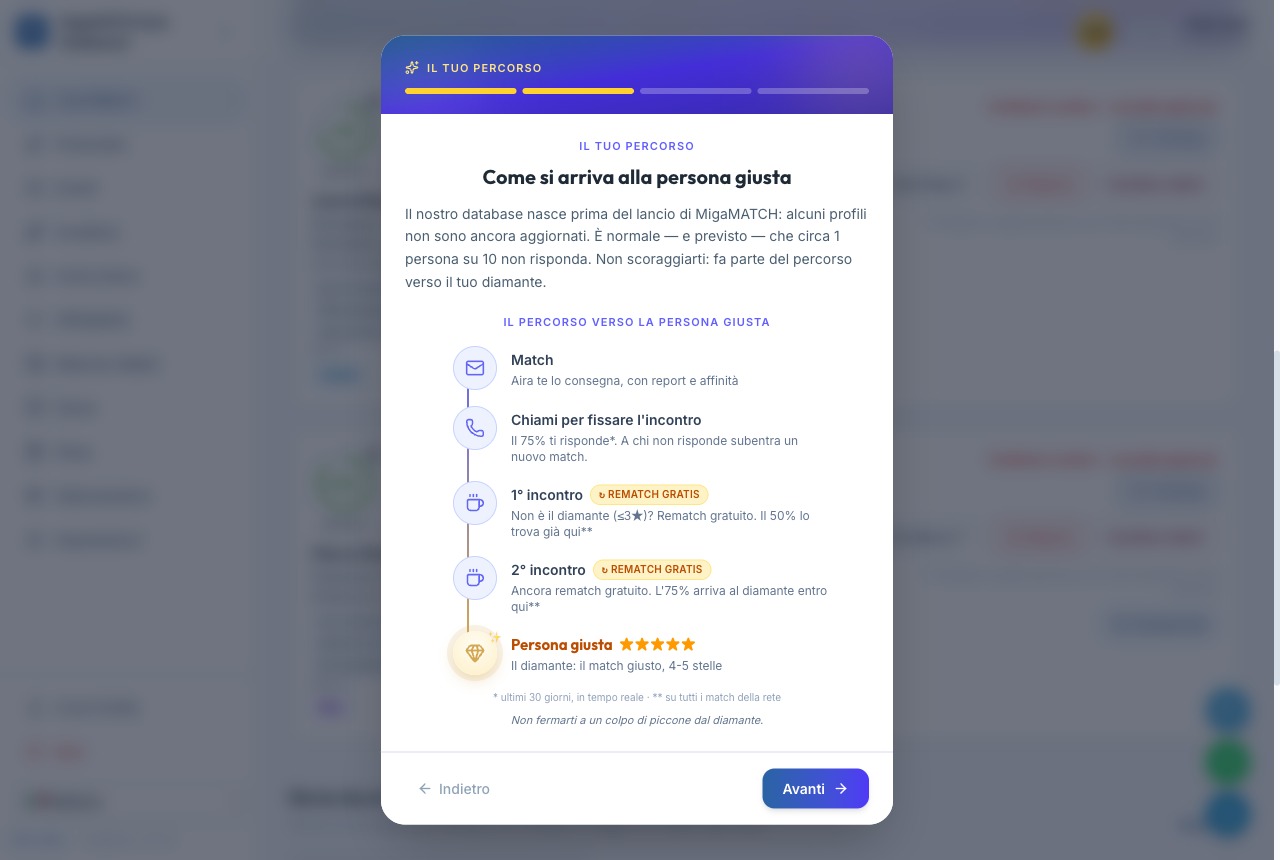
The promise is simple: we will introduce you to the right person. Guaranteed. If a match doesn't convince you — feedback of 3 stars or less, someone who doesn't reply, an off-target profile — that match is replaced free of charge, and then again, until you sit down with the right person.
How effective is it in practice? One time out of two the right person is already at the first meeting; you almost always find them by the second; reaching a third is very rare. And the worst case ever recorded on the platform says it all: one person who never replied and two off-target — and right after, the person with whom that connector built tens of thousands of euros of business. Even on the unluckiest journey, the chain of replacements gets you there.
Beware of a common misperception. The promise applies to the single match and its story, not to your day. If you receive three matches one day and none of the three works out, the promise has not been broken: they are three separate stories, and each continues with its own replacement until the right person. The same goes for non-responders: across the story of a match, roughly 10% of people don't reply — by pure chance you might even hit three in the same day, but each of those chains carries on, and the statistics always even out over the journey, never over a single day.
Why does the “Your journey” button exist?
Precisely to make this promise verifiable. On every card, “Your journey” reconstructs that match's story: where it comes from (a first match? the replacement of someone who never replied?), where you are in the chain and what happens next. A replacement is not a “starting over” but a visible step forward on the same journey — so you can judge the promise where it should be judged: on the complete story of each single match.
5. The Match Report
Opens with "View Report" from every match card
For every match, AIRA generates a personalised report: not a contact sheet, but a genuine working dossier that walks with you before, during and after the meeting. Every section is there for a precise reason — here they are one by one, with the best way to use them.
🎯 The purpose of the meeting (read this before anything else)
Every section of the report serves ONE goal, and it's only fair to state it upfront. The meeting is a success when you find a person willing to create synergies, who genuinely has the potential to introduce you to prospective clients, whom you can help in return — and when it closes with a clear agreement on a first step, with a precise date. It's the first point of our Manifesto: ACTION. Only then does the meeting produce concrete results — and that is the yardstick for rating it in your feedback: 5 stars mean all these criteria were met — a good meeting that only lacks the dated first step is a 4.
🎯 15-sec snapshot
The report's opening: the affinity, the reciprocity and the key point about the other person in a few lines. Why it exists: if you only have 15 seconds before the call, these are the 15 seconds that matter. How to use it: reread it on your phone right before joining the call — it's your minimum viable reminder.
👤 The two identities: your match and your profile
The other person's contact card (email, phone, location, network) and, mirrored, how AIRA presented you. From here you start with one click: WhatsApp or email with the icebreaker already loaded, or "Book a call" if your match has shared their calendar. Why it exists: knowing what the other person has read about you removes redundant introductions and tells you what they're expecting. How to use it: check your own profile here: if it no longer represents you, update it and your next reports will improve.
🔎 Their Business Radar showcase
If the other person has a public showcase on the Business Radar, the report (including the one opened from the link) tells you: "This connector chose to be visible and searchable in our BUSINESS RADAR showcase.", with "Open the showcase" (their public page) and "I want a showcase too" (the offer to get one), both in a new window. Why it exists: the showcase tells you first-hand what they solve and who they know, sometimes with a video. How to use it: open it before the call, alongside this report.
📡 RELATIONAL FOOTPRINT© (the radar)
The visual map of how your worlds interlock: in green the sectors where you're looking for someone who can introduce you, in blue the ones where the other person has a network. Where the colours touch, that's where the operational matches are, and the "AIRA reading" explains them to you. Why it exists: two profiles can click on chemistry alone, but business is born where the networks overlap: the radar makes that spot visible. How to use it: bring 1-2 concrete overlaps into the call ("I see you have a network in construction: that's exactly where I'm looking"). On a phone, tap the radar or "Tap to enlarge the radar" to open it full screen and zoom in on the sector labels.
🔁 How you can help each other
Two columns: what your match can give you, and what you can give your match. The badge says the essential: think first about what you can give. Why it exists: networking dies when both sides wait to receive; being the one who opens the flow is the move that unlocks reciprocity. How to use it: before the call, pick one item from the "what you can give" column and prepare it as a concrete offer.
💬 Icebreaker ready
Two messages already written — a WhatsApp version (informal) and an email version (structured, with a subject line) — with the "Copy" button. Why it exists: the most fragile moment of any match is the first contact; a ready-made message removes procrastination. How to use it: personalise one line (people can tell!) and send within 24 hours of the match being delivered. You have 21 days to give feedback: don't spend them waiting.
⚠️ TIPS — the "Networking Disconnect"
A three-minute read on the mistake that kills most calls: treating the other person as a potential customer to sell to. Why it exists: it's statistically the most frequent and most expensive mistake — whoever "closes" instead of "opening" burns the relationship within two weeks. How to use it: open this section before every call, until its principles come naturally.
🎯 Your call Playbook — the four phases
An accordion that splits the meeting into four phases with a timing. They are exactly the phases the AI scorecard will grade you on once the call is over: the report never marks you down for a move it never taught you. Why it exists: a get-to-know call without a structure turns into a pleasant chat that produces nothing — the structure is what turns it into a meeting with an outcome. How to use it: open it five minutes before you join the Zoom, not after.
- Phase 1 · minutes 0-2 — Opening and frame. Ask permission to record, state the structure of the 20/30 minutes, and make it clear you are both there to get results, not to keep each other company. Then the move almost nobody makes: declare up front how you'll rate each other — "4 stars if we find out we genuinely want to help each other and both have the right contacts to do it, 5 if we leave with a concrete commitment and a date. I'm aiming for 5, are you?". Don't move on without an explicit yes: with that yes you have the right to bring the conversation back to the structure whenever you need to.
- Phase 2 · minutes 2-7 — Discovery. Two mandatory questions: who you are and which problem you solve so well, and who your ideal client is in concrete terms (sector, size, problem). A third, optional one, on how much referrals weigh in their work today. One question, then silence. The target is 30% you, 70% them: if you've been talking for more than thirty seconds, stop and ask a question.
- Phase 3 · minutes 7-12 — The leverage. This is the phase that decides the call, and the only one that counts double in the scorecard. See below: it's the one worth really preparing for.
- Phase 4 · minutes 12-20 — Closing and rating. You read the person in front of you from the signals of the first twelve minutes, not from a magic question. Someone who answers with two or three real names on the spot is already ready to swap: go straight to names. Someone who says "I might have a few people, but I wouldn't know how to put it to them" is valuable but untrained: don't push — propose a second call where you map each other's spheres of influence together. Either way, you close with a step and a date.
- Right after — the 30-minute window. The other person leaves the call on a peak of motivation that fades fast. Within half an hour, send them the three key points in their own language, the calendar confirmation of the step you agreed on, and the names you're about to introduce — even just "I have two people in mind, I'll update you by Friday".
💪 The leverage: be perceived as a great opportunity (then flip it)
The whole art of relationships is how well you come across as a great inter-connector — and therefore as an opportunity yourself for the person in front of you. Three things make it work, in this order.
1. Arrive with names, not categories. Before the call, turn the report's "what you can give" column into two or three real first and last names, and say them: "I've understood your target: Giulio already comes to mind, an entrepreneur client of mine who could be a client of yours, and Laura, a consultant you could work with". One name is worth ten adjectives. It's also the moment when, if the leverage has landed, you hear the other person's tone change and the practical questions start: "how does it work?", "who would that be?".
2. Guarantee, don't promise. You can afford to be generous because you're not alone: when you don't have the right person yourself, you can still guarantee them by delegating the search to MigaMATCH with your Match Credits. That's the difference between "I hope I'll manage to give something back" and "I will give something back, one way or another" — and it shows.
3. Then flip the question. After you've built high expectation, never before: "Now I have a question for you, though: why on earth should I help you? What do you have for me? Given that it won't be a commission that moves me, but concrete contacts that can help my own business". Then be quiet and let them answer. It's the moment the roles reverse and it's on them to show what they bring to the table — and it's what separates an exchange of courtesies from a relationship between two people who both know what they're putting in.
Never say these. "I'm selling you", "I'm proposing", "you'll earn a commission" as your central argument. And never "let me introduce you to someone so you can help them": the right version is always "let me introduce you to someone who can bring you clients, and in exchange you give them a hand". The other person receives the value first, always.
🤝 The first step: mutual between peers, yours in a Match Dispari
A call ends well when a first step with a date comes out of it. But who takes it depends on who you're talking to, and confusing the two cases is the mistake that stalls the most meetings.
Match Pari — connector with connector. Neither of you owes the other anything and neither has a guarantee to show: here the first step isn't asked for, it's agreed — symmetric and small. Offer two options instead of one request: "by Friday I'll introduce you to someone from my circle and you do the same with me — or, if you'd rather start lighter, we invite each other as observers to our next sales call, so we see how we each work in the field. Which of the two suits you better?". Someone who isn't ready to expose a contact yet almost always takes the second, and trust starts anyway. If only one of you commits, it isn't a step: it's a request.
Match Dispari — connector with a company. Some matches put you in front of a company's Referral Director: not a salesperson, but the relational face of their whole business — its clients, its suppliers, the professionals who sit at its table. You recognise it from the report, which in that case shows you a different playbook ("Your Playbook with a Centre of Influence"). There the rule reverses: you go first, because on the other side reciprocity is guaranteed by contract and doesn't depend on chemistry. Expect, at the end of the leverage phase, the question that closes it — "now the ball is in your court: can you bring me a first referral to get this started?" — and come to the call already knowing your answer. In return the company reciprocates in a structured way: a commission on the revenue you help it close (often convertible into introductions, if relationships interest you more than money), dedicated Match Credits and direct introductions. The exact terms are set by the company: have them spelled out in the call, along with the question that really matters — "how far does this go if it works?".
🎤 What to bring to the call
Three topics that will work with THIS person, a small-talk hook to break the ice, and AIRA's personalised tips (for this match, not generic lines). Why it exists: the difference between a flat call and a lively one is almost always how well the topics were prepared. How to use it: keep it open during the call, as your outline.
✅ Recommended actions
A practical checklist with deadlines and priorities, to tick off as you go. Why it exists: after a good call, enthusiasm fades within 48 hours; the list turns intentions into tracked steps. How to use it: tick the actions off right inside the report — when you come back, you'll find them where you left them.
📚 Deep dive
The match's complete profile (biography, network, geographic area, company data…) and the full operational brief. Why it exists: the rest of the report is deliberately concise; the full detail lives here, when you need it, without weighing down the read. How to use it: consult it to prepare a second call or a tailored proposal.
⚡ Export & smart actions
Download the PDF, export the report as Markdown for your AI, send the icebreaker, book the call, check the feedback deadline. Why it exists: the report shouldn't stay a page you read once — it's working material to take wherever you work. How to use it: the Markdown export is the doorway into the "AI gym" below.
🧠 The most important gym: AI analysis of your calls
At the bottom of the report you'll find two ready-made prompts. They aren't two versions of the same thing: they're two tools with two different timings. One is there to close this meeting well, the other to make you better at the next one.
1. Right after the call — "Post-meeting AI analysis": the recap to send while it's hot. It gives you back an internal recap with the key facts, the objective assessment of the match with the suggested stars for your feedback, a short scorecard and — the part that matters most — the follow-up email already written: short subject line, an opening with a real detail that came up in the call, the three key points in the other person's language, the names you're introducing them to with one line of context each, and the next step with a date. That's how you hit the 30-minute window without writing anything from scratch: reread it, change one line so it sounds like you, send. Twenty-four hours is the outer limit, not the target — the other person's peak of motivation lasts far less.
2. That same evening, or the next day — "Meeting effectiveness analysis (phase-by-phase scorecard)": the lesson. It grades each of the playbook's four phases — the leverage counts double — but it always starts from what you did well, quoting your own lines and explaining why they worked. Then it shows you up to ten improvable lines with the rewritten version, ready to reuse; it recommends the stars to give the meeting and, if the call is worth 4, it writes you exactly the sentence that would have taken it to 5. It closes with three concrete actions for your next match and with the script of how that same call could have been run perfectly, using the real name and sector of the person you met.
Marks start at 5, not at zero: turning up prepared and running a conversation is already worth something, and you go up from there. The only phase that can go lower is the leverage — because that's where the meeting is won or lost. And the words "serious mistake" never appear: there are no serious mistakes, only missed opportunities and lines to rewrite.
How to use them, in practice. The same steps for both prompts:
- Record the call — always with the other person's explicit consent, asked for in the first thirty seconds. It isn't a formality: it's also why Phase 1 of the playbook puts it in writing.
- Transcribe the recording. Google's NotebookLM does it for free; any transcription tool you already use works too.
- Open the section in the report and press "Copy prompt". It already comes personalised with the name, the sectors and the declared reciprocity of the person you met — don't retype it by hand.
- Paste it into your AI and replace the last block — the one in square brackets, at the very bottom — with the transcript.
- Answer the questions the AI asks before it starts. If something is missing it will ask: two answers from you turn a generic analysis into one that talks about YOUR call.
Which AI? Use a quality AI: if you have a paid subscription such as ChatGPT or Claude, perfect. If you'd rather not pay, use www.deepseek.com, free and excellent. With NotebookLM for the transcript and DeepSeek for the analysis, the whole cycle costs you nothing. Avoid low-quality free tiers: a shallow analysis teaches you little — and sometimes teaches you the wrong things.
And then, how you actually improve. The scorecard isn't useful on the evening you read it: it's useful five minutes before your next call. Reread it there, together with the playbook. Keep the rewritten lines to hand and actually reuse them — they're already written, in your own context. And complete the three actions in the final section before the next meeting: there are three of them, not thirty, precisely so that they get done.
Why we call it a gym: no course improves you as much as reviewing YOUR calls with a tireless coach who tells you where you talked too much, where you didn't listen, where you "sold" instead of opening. Those who do it after every call improve visibly — it's the single highest-return habit on the whole platform.
Benefits
- You show up to every call prepared like a professional, after 5 minutes of reading.
- First contact is instant: icebreaker, WhatsApp, email and calendar one click away.
- As a registered user, your report never expires: you can reread it even months later.
- With the AI gym, every call becomes a lesson: you improve with every meeting.
Note. The "public" report links you receive by email (useful if you're not logged in) expire after 21 days to protect the data of the people involved. From the dashboard, however, the report is always available.
6. Feedback — the heart of the system
Opens with "Leave Feedback" from every match card
Honest feedback is the most important thing you can do on MigaMATCH. It is not a courtesy: it is the data AIRA learns from to select for you, the mechanism that protects the network from uncooperative people, and the condition for your refunds. "Kind" but insincere feedback hurts you first: it teaches the algorithm the wrong thing. And the system rewards honesty, not kindness: giving feedback always earns you +5 reliability credits, whatever it says.
When should you give 5 stars? Only if the meeting meets all three criteria of the purpose of the meeting: a genuine intent to collaborate on both sides, concrete potential to help each other and — decisively — an agreement on a first step with a precise date (Manifesto, point 1: ACTION). A good meeting that only lacks the agreed first step is a 4: the match is still valid. The match is replaced only from 3 stars down.
How it works
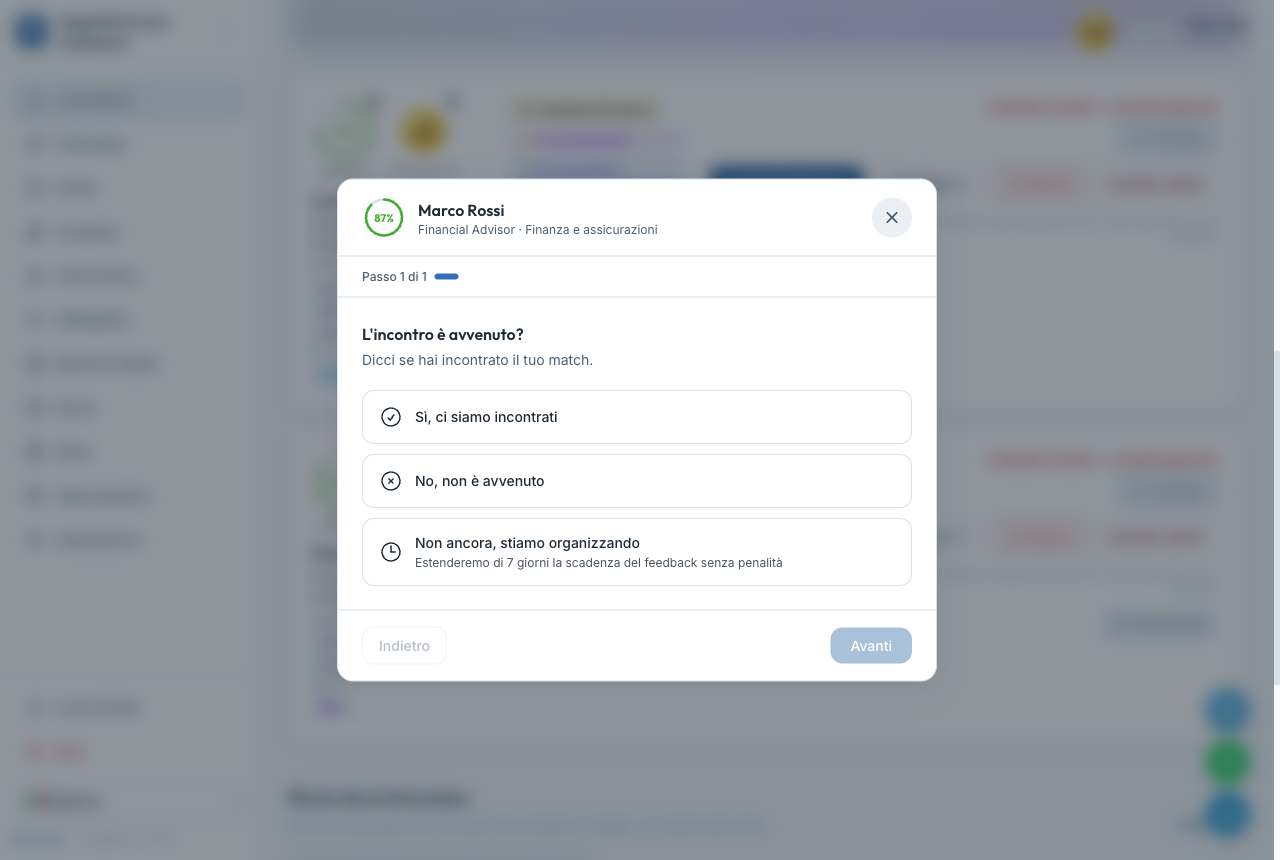
- Did the meeting happen? Yes / No / Not yet. "Not yet" lets you choose 1 to 4 weeks to postpone by, one week by default; "No, it didn't happen" closes the match (see below).
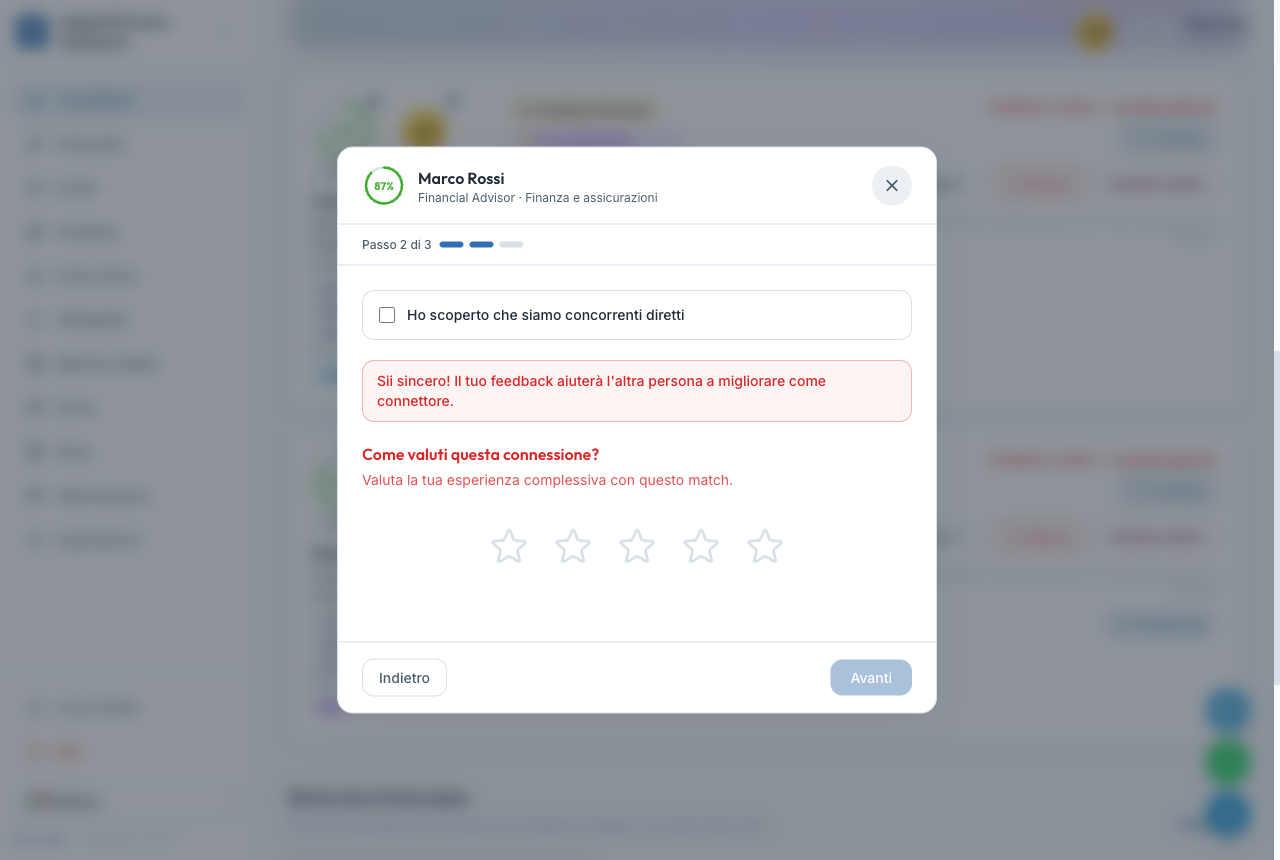
- A rating from 1 to 5 stars (if you met).
- Three follow-up questions (only with 3 stars or less): was the profile truthful? were the contacts relevant? was the person cooperative?
- Free notes to describe the context.
If the meeting DID happen: how to rate it, item by item
- 5 stars — "Excellent": all three purpose criteria met — dated first step included. Example: "We understood each other instantly, we've already identified one contact each to introduce, and we're speaking again Thursday at 3pm to do it."
- 4 stars — "Good": a solid meeting — genuine intent to collaborate and mutual potential — but no first step agreed with a date yet. The match is still good: no replacement. Example: "A concrete, in-target person; we said we'd talk again, but haven't set a specific commitment yet."
- 3 stars — "Okay": a solid person, a pleasant conversation, but the mutual potential is weak or the intent to collaborate isn't concrete. Example: "Nice chat, but our worlds don't touch: no synergy in sight." From 3 stars down the promise kicks in: your match is replaced.
- 2 stars — "Poor": little genuine interest, one-way listening. Example: "They talked almost entirely about selling me their service; my business got two minutes."
- 1 star — "Terrible": improper behaviour or a profile far from reality. Example: "They presented themselves as a manager with a network of entrepreneurs; none of it was true, and they had no interest in an exchange."
With 3 stars or less, the three follow-up questions open: your answers determine the refund (untruthful profile or uncooperative person ⇒ refund) and both people's scores.
"I found out we are direct competitors" (checkbox above the stars): the meeting revealed you sell the same thing to the same clients. It's nobody's fault, so it replaces the stars instead of adding to them: your ticket is refunded, neither of you is penalised, and AIRA learns not to pair you again. If the stars stayed active, what you told us in good faith could accidentally turn into an unfair penalty.
If the meeting did NOT happen: the reasons, item by item
"No, it didn't happen" closes the match, for both of you and for good: from that moment neither you nor the other person can leave feedback any more, and the match never reopens. That is why the first entry in the list closes nothing. Answering "No" is literally true even when you are simply still waiting for a date — and that is how matches that are still alive get closed by mistake.
Some reasons carry a penalty for the other person: for those, you are asked for an explicit confirmation and a short note. Use them honestly — they only protect the network if they are true.
- "We have not agreed on a date yet" — the first entry, and the one to use when the meeting is simply still to come: it does not close the match, it takes you back to "Not yet" and to the 1-to-4-week postponement. No penalty for anyone, the match stays alive.
- "The other party didn't respond" — when you contacted them several times, on different channels and on different days, without a single reply. Example: two WhatsApp messages and one email in a week, never an answer. Ticket refunded; −10 credits for the other party, who is informed.
- "Refused without reason" — when they do reply but dismiss the meeting brusquely or offhandedly, with no valid explanation. Example: "Not interested, don't insist" — without even knowing what it's about. Refund; −10 for the other party.
- "They were rude or unwilling to collaborate" — contact happened, but their attitude made the meeting impossible. Example: they reschedule three times without ever proposing an alternative, or reply rudely. Refund; −5 for the other party; note required.
- "Refused politely with explanation" — a legitimate, explained no. Example: "I'm closing a project; for the next three months I can't take on anything new." Refund; no penalty: declining politely is correct behaviour.
- "We already know each other" — you already know each other well and the meeting would add nothing. Refund; no penalty; AIRA remembers it.
- "I changed my mind" — you are the one backing out. No penalty for anyone, but no refund: the match was valid.
- "I decided not to meet this person" — you have read the profile and choose not to go ahead. There is no event to report here, only a decision, so the note is mandatory: the note is the real reason, the label alone says nothing. No penalty for either of you — the choice is yours, not a failing of theirs — and, if you were the one who spent a credit on this match, it is not returned: you spent it on a choice of your own. This entry exists because, before it, whoever did not want to meet a match had only "Other reason", vague, or a reason that pins the blame on someone who deserves none.
- "The contact details on the card are wrong" — wrong number or email: you simply could not reach the other person. No penalty for either of you, and the credit follows the same rule as the other non-penalising reasons; it tells us there is a detail to fix.
- "Other reason" — for cases that don't fit the entries above: the note is mandatory, because a match closed without a line of explanation teaches nobody anything — not you, not AIRA©. No automatic refund.
- "They are a competitor" — this entry is deliberately blocked before the meeting: working in the same sector doesn't mean selling the same thing, and you can't know without having spoken (that's exactly where supply deals and collaborations are born). The platform offers to postpone by 1 to 4 weeks, your choice, and try the contact; if after the call the overlap is real, use the dedicated checkbox in the "Yes, we met" branch.
When the other person closes the match
When the other party declares that the meeting never happened, the match is cancelled: you receive an email telling you so, and the card — an individual match and a company match alike, in the Archive — opens with a red band reading "Match cancelled", the reason when it is known, and the line that matters: feedback is no longer possible on that match, neither for you nor for whoever closed it. When the reason penalises nobody, the band adds that your Reliability Index is unaffected.
The band never says who cancelled: the same card is also read by whoever has just closed the match, and some cancellations come from the platform rather than from a person. For the same reason the reassurance about your score appears only for the reasons that penalise nobody: better to stay silent than to promise something the ledger would contradict. That way the missing feedback button stops looking like a fault: it is the normal consequence of a closed match, and it costs you nothing.
Deadlines and rules
- You have 21 days from the delivery of the match; as the deadline approaches you get reminders, gathered into a single email that lists every feedback you still owe with its own deadline — not one message per match — and if you move the deadline with «Posticipa», they move with it. Feedback is due even if you never met: a meeting that didn't happen is also information that protects you and everyone else. The deadline only runs while the match is open, though: once it is closed, neither of you can leave feedback any more.
- "Postpone" always works: choose 1 to 4 weeks, with at least 7 full days guaranteed from the moment you click.
- If the deadline passes without feedback your score takes a penalty (see Reliability) and the delivery of new matches stops: while one meeting is still unanswered, sending you others would only waste someone else's time. Raising the pace in Settings does not resume them — the feedback does, and even a late one unblocks everything and recovers part of the score.
Benefits — what you get by giving feedback
- +5 reliability credits, always, whatever the content.
- A guaranteed replacement match with 3 stars or less, and a ticket refund in the cases listed above — a 🎁 popup confirms it on the spot.
- More precise future matches: every answer refines AIRA's selection for you.
7. Agreements — the commitment you make after the meeting
"Commitments" tab in "Your Matches" · "AGREEMENT" button on every card
Every 5-star meeting should end with a concrete first step and a precise date. Not a vague "let's stay in touch", but something you can write in a calendar: a first referral to make, a meeting in person, sitting in on the other person's sales session to see how they really work, an invitation to an event. What you agreed becomes an agreement: you write it in the platform with the date by which you expect to deliver it, and the other person receives it.
Where to find it
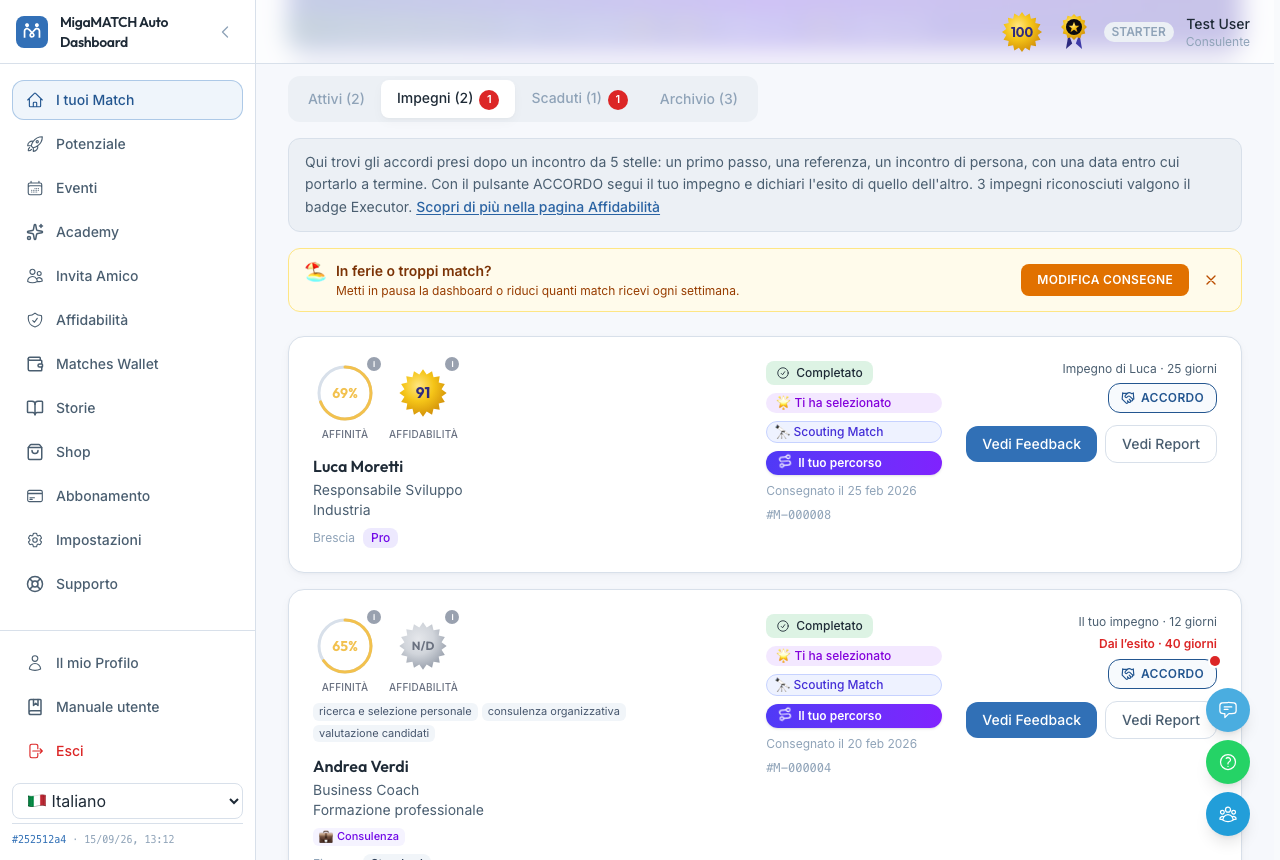
- The "Commitments" tab, in "Your Matches" right after "Active": it gathers the matches where you or the other person still have an open commitment. The red number on the tab counts the verdicts you are holding back.
- The "AGREEMENT" button on the card: it appears on every match where a commitment exists or where you can still write one — even long afterwards, even on a match that has moved to the Archive. The card shows up to two status lines: your commitment with the days left, and the other person's, or the verdict you are being asked for.
- The feedback questionnaire: when you give 5 stars, the last step asks you to write the commitment straight away. If you did not really agree on a concrete step, the "We did not agree on a concrete step" link takes the rating back to 4 stars: that is exactly the difference between a good meeting and an excellent one.
How it works, step by step
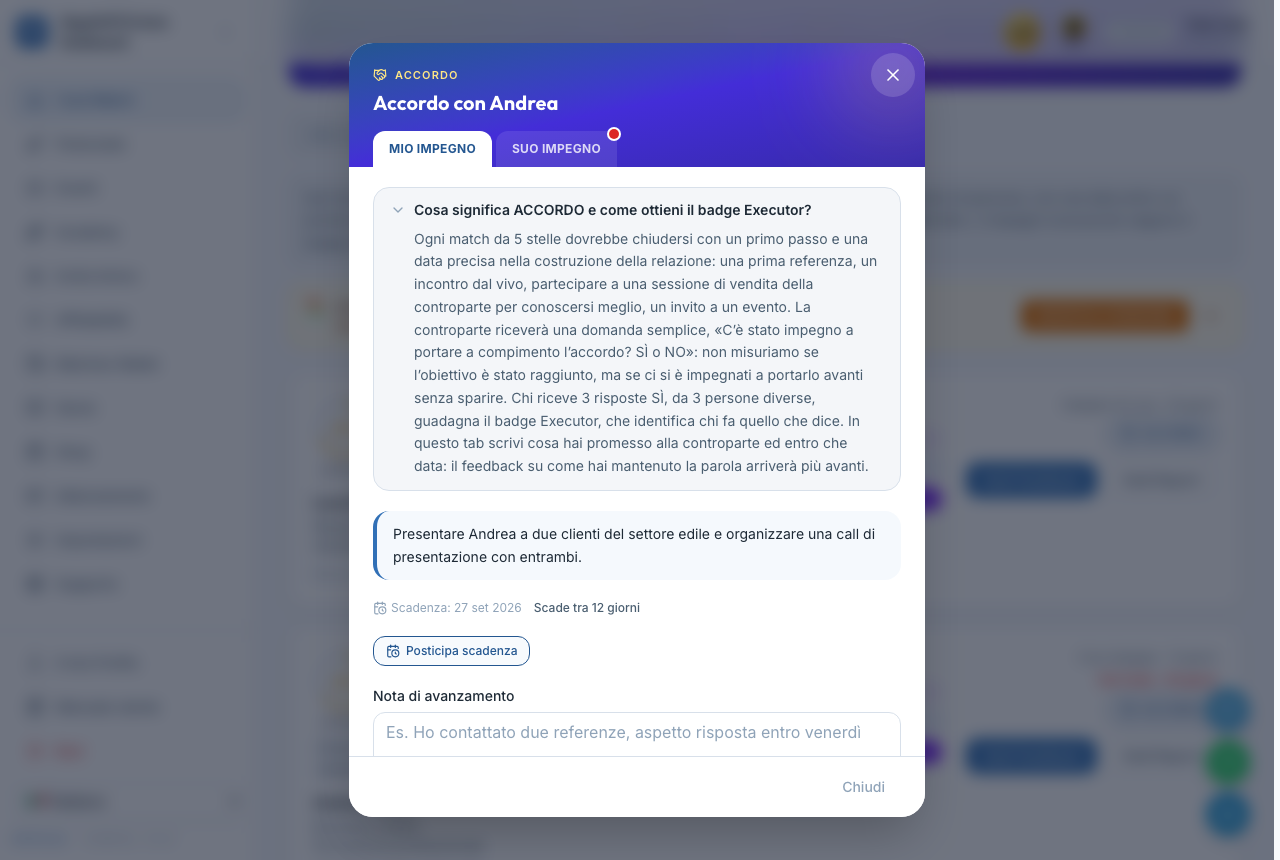
- Write your commitment in the "MY COMMITMENT" tab: what you will do for the other person, and by when. They receive it by email.
- Keep the counterpart posted with progress notes: each note reaches them and joins a diary you both read. That is where the work becomes visible.
- Postpone if you need to: from 1 to 4 weeks, as many times as you need, and the counterpart is told. Moving a date is always better than letting it lapse in silence.
- The question arrives: from the due date onwards the other person can give their verdict; if they do not, after a while we ask them. They too can buy time with "Ask me later".
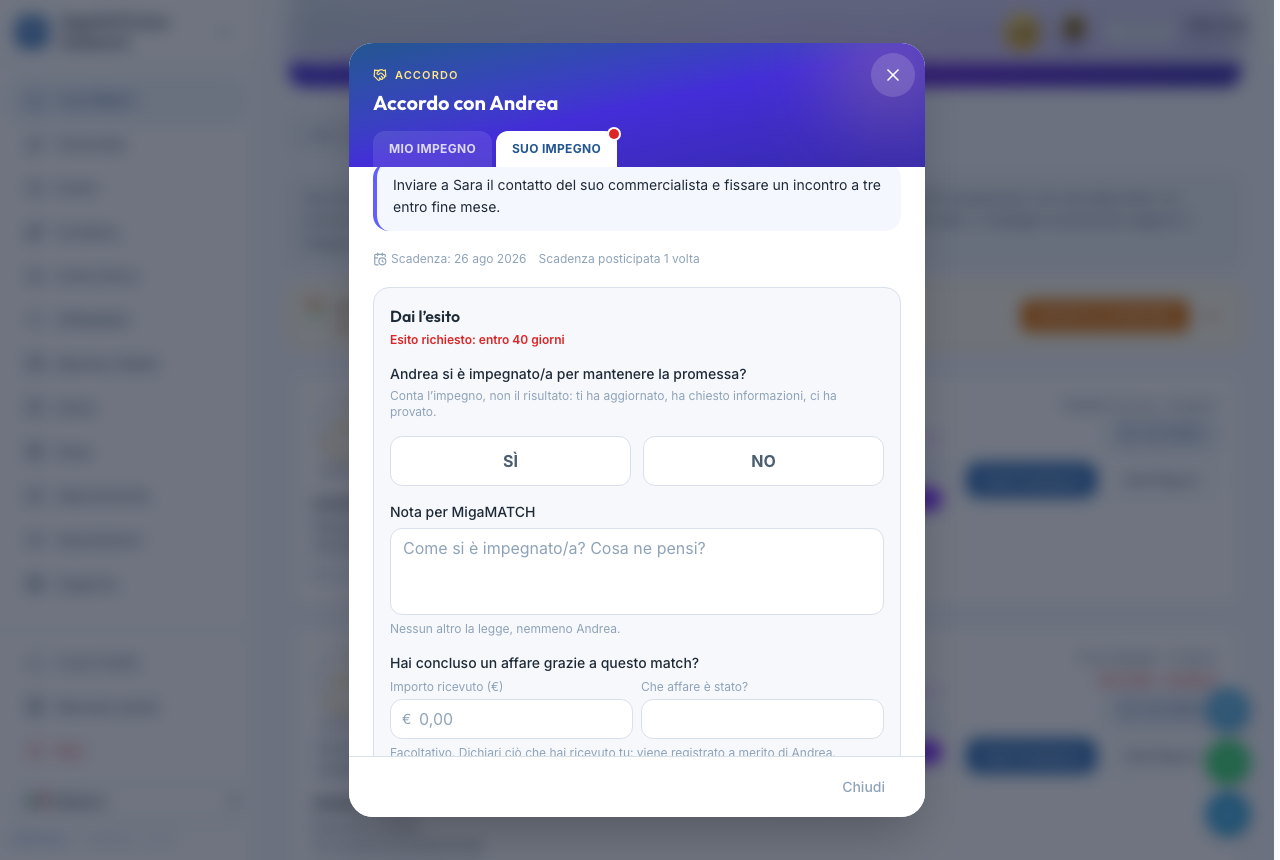
How an agreement is judged — effort counts, not the result
The other person is asked one simple question: "Was there real effort to see the agreement through? YES or NO". We do not measure whether the goal was reached, only whether the person worked at it and did not disappear. They kept you updated, asked for information, tried: that is a YES, even if the referral led nowhere.
The reason is simple: a deal can fall through for a thousand reasons that are nobody's fault, while disappearing is a choice. Measuring the result would reward luck; measuring the effort rewards behaviour — the only thing a person really controls.
Along with the verdict you can leave a note for MigaMATCH and declare the business that meeting brought you, if any. Nobody else sees that note or that amount, not even the person who made the commitment: all they receive is the YES or the NO.
The Executor badge

- What it says about you: that you do what you say. It is the recognition of the people who can be counted on after the meeting, not only during it.
- How you earn it: by collecting recognised commitments — YES answers — from different people. The verdict counts, not the promise: a hundred open commitments are worth zero, and that is what makes it impossible to fake. The platform itself tells you how many you still need, on the Reliability page, where the badge stays in view with your count until you earn it.
- It never expires and cannot be lost: a commitment kept stays kept.
- It is visible: it appears on your profile and is read by anyone who gets a match with you, before they even meet you.
When the other side is a company
In matches with a company, reciprocity is already guaranteed by contract, so the company representative is never asked for a verdict and their commitment counts towards no badge. They can, however, write one anyway if they wish: describing what will happen once the connector takes the first step and introduces a potential client. It is optional — «Skip» leaves the rating you have just given untouched — and nobody judges it: it is a gesture that matters in a relationship.
If the verdict never comes
Once the agreement's due date has passed we leave some time, then we ask for the verdict from whoever owes it, with reminders grouped into a single email instead of one per agreement. If the answer still never comes, whoever owed it loses a few reliability credits — and knows in advance, because we say so beforehand, with the date. It is not a punishment for being late: it is the cost of leaving someone without an answer after they worked for you. A late verdict is always accepted, even much later, and recovers part of the points.
Why write down what you already said out loud?
Because an unwritten agreement evaporates within ten days, and neither party feels entitled to bring it up again. Writing it down with a date turns a good intention into something you can follow: you have a reminder, the other person knows what to expect and when, and either of you can move without looking pushy. The biggest benefit, though, is collective: by declaring the verdicts, the network learns to tell those who deliver from those who merely promise — and that distinction did not exist anywhere before.
Benefits
- Your agreements no longer get lost: dates, reminders and updates all live in one place.
- The Executor badge makes visible to the whole network something you could previously only claim.
- Giving the verdict earns you reliability credits and helps the people who come after you choose well who to talk to.
8. Reliability — your reputation
Page: /reliability ("Reliability" in the menu)
How it works
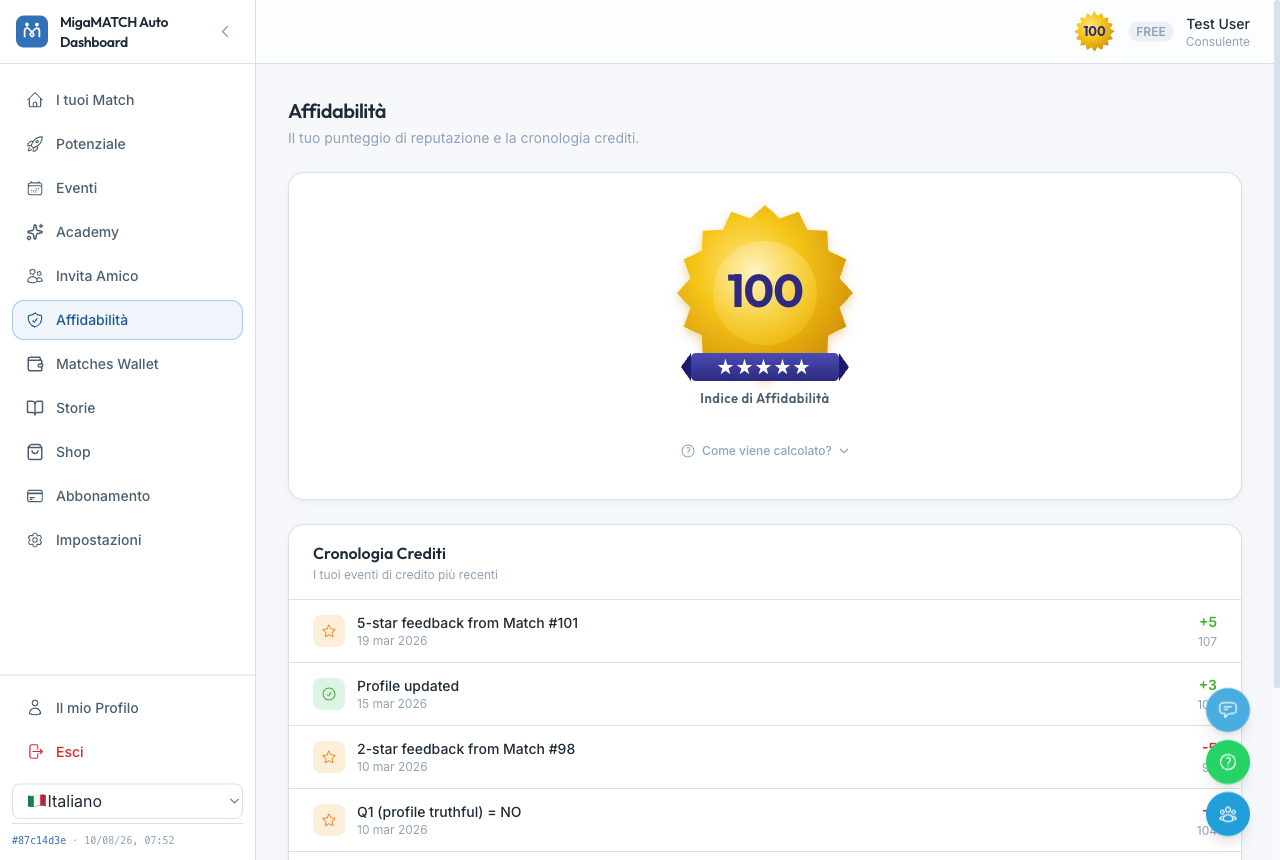
- Everyone starts at 100 credits; the maximum you can reach is 120.
- Every change is tracked in the ledger at the bottom of the page: event, points, date. The ledger is the source that always prevails.
- Penalties have a daily cap: whatever happens, you cannot lose more than 20 credits in a single day.
What makes your score GO UP
| Event | Credits |
|---|---|
| You give your feedback on a match — whatever it says | +5 |
| You receive a 5-star feedback | +5 |
| You receive a 4-star feedback | +2 |
| The follow-up questions confirm your profile is truthful and you were cooperative | +1 each |
| You attend an event you registered for | +5 |
| You complete an Academy path | +10 |
| You update your profile (max once a month) | +3 |
| You give your feedback late, after the penalty: you recover part of it | +3 |
What makes it GO DOWN
| Event | Credits |
|---|---|
| You receive a 1-star feedback | −10 |
| You receive a 2-star feedback (3 stars: no effect) | −5 |
| A feedback says you "didn't respond" or "refused without reason" | −10 |
| A feedback says you were "not cooperative" (or a "no" to the cooperation question) | −5 |
| Your profile turns out not to match reality (question 1: "no") | −5 |
| "Partly" answers to those same questions | −2 |
| You let a match expire without giving feedback | −5 |
| You haven't logged in for 30 days (and −5 again past 60) | −5 |
| After 3 months without a single login, a monthly decay until you come back | −3 per month |
Why a public score?
In a referral network, trust is the currency. Your score appears on the gold medal of every match card: whoever receives you as a match sees at a glance that you are someone who replies, shows up and gives feedback. And reading the two tables, you'll notice the design: everything that earns points is behaviour towards others; everything that costs points is other people's time wasted. Visible reputation rewards good behaviour far more effectively than any rulebook.
If your score drops below the critical threshold of 60, the delivery of new matches stops: it is not a punishment, it is a protection for the other members. The platform offers you a recovery path (starting with the Academy, worth +10 per completed path) to climb back up and start again.
Benefits
- High reliability gets you selected more often: you are a "safe" match for others.
- The transparent ledger always tells you exactly where every point came from.
- You know in advance what the network rewards: replying, showing up, giving feedback.
9. Potential — what your network is worth
Page: /potential ("Potential" in the menu)
How it works
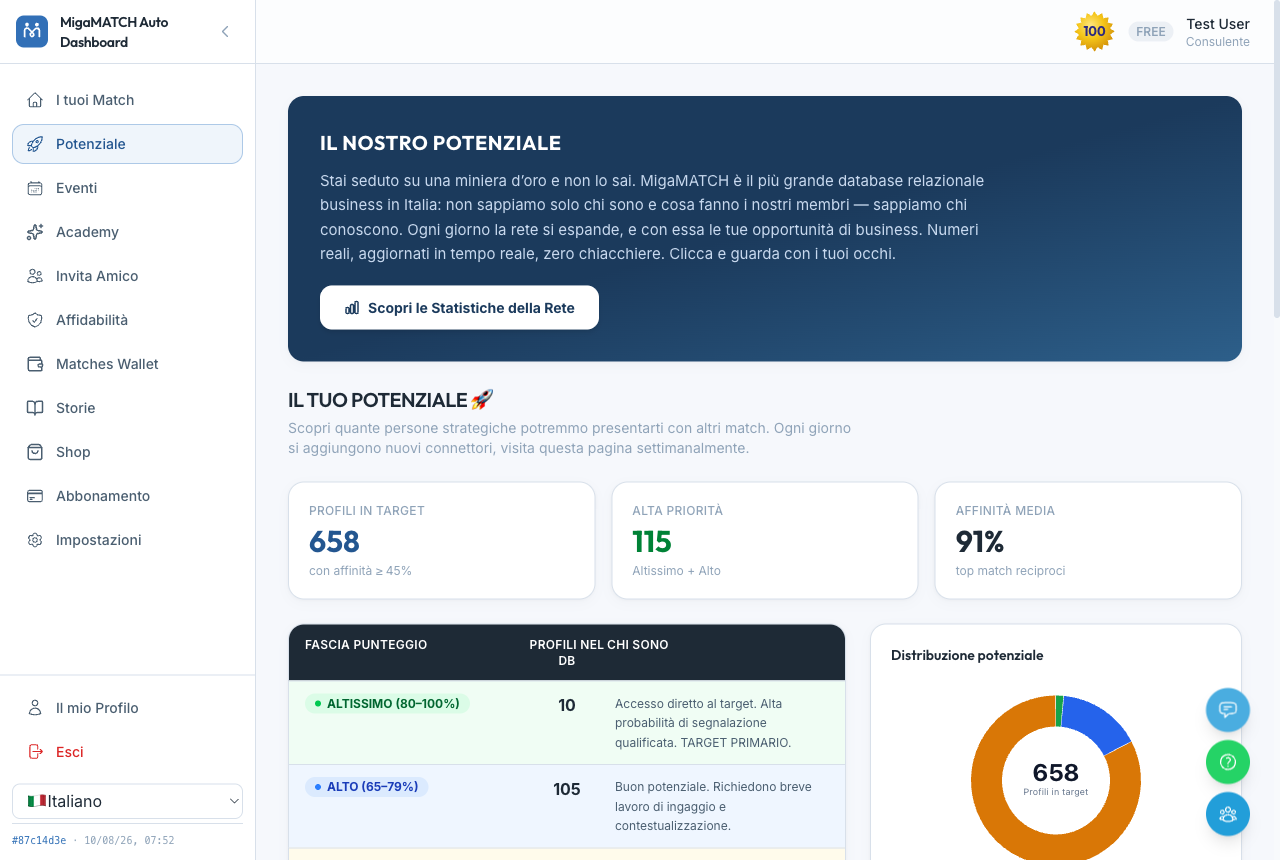
The page measures your "deposit" inside MigaMATCH: how many profiles in the database are in target with you (affinity ≥ 45%), how many are high priority, and the average affinity of your best reciprocal matches. The band table (Highest, High, and so on) tells you how easy it is to turn each group into business, and further down you find the 20 people with the best scores: these are the people AIRA will introduce you to in the future, once you have Match Credits (you get them by subscribing, by inviting other people for free or by buying them). Each card has an "I want this match" button that explains how to receive it (not shown in the iOS and Android apps). At the bottom of the page the "Discover Network Statistics" link opens the overall network numbers.
Why show you people you haven't met yet?
Because the value of MigaMATCH is not the individual match: it is the relational database behind it, growing every day. Seeing with your own eyes that "there are 658 in-target people for you" changes your perspective: every match delivered is just the first withdrawal from a much larger mine. The numbers are real and updated in real time, not marketing estimates.

Don't stop one step from the goal just because you can't see how close it is. As Thomas Edison said: “Many of life's failures are people who did not realize how close they were to success when they gave up.” And the proverb agrees: “The darkest hour is just before the dawn.” This page exists for this too: your Potential numbers show you how much mine still lies ahead of you — when a match goes badly, come back here and remember that the next strike of the pickaxe may be the one that hits diamonds.
Benefits
- You understand how much room to grow you have — and whether it's worth receiving more matches (through a subscription or invitations).
- If the number of in-target profiles is low, it's a signal that your profile needs enriching: more influence sectors and a better biography widen the pool — the full guide is in How AIRA reasons.
- The page updates on its own: it's worth visiting every week.
10. Business Radar: who solves it, who can introduce you
Page: /radar ("B2B RADAR", right after "Your Matches": in the bottom bar on your phone, in the side menu on a computer)
The Business Radar gathers the showcases of members and companies in the network: public pages where each one says what problem they solve, for whom, who they know and where they work. You come in with a question, and AIRA shows you who fits, without waiting for your next match. You also get there from the "Go to the RADAR" banner, below the first card in "Your Matches", and from the report of a match who has a showcase.
How to search
- On your first visit you see "The latest showcases" as a list (two columns on a computer), with MigaMATCH client companies first. The radar lights up only after a search: without a question it has no centre.
- Two searches: "I need a solution to my problem (product or service)" finds who can handle it; "I need someone who can refer me to clients" finds people who already deal with the clients you want to reach and are willing to introduce you.
- With "Search with your profile" AIRA starts from your biography and your ideal client: just press "Ask AIRA". If you type in the bar you switch to "Targeted search", where only what you write counts. The "Region" filter narrows the results (it starts at "All of Italy").
- The "AIRA understood" chips show what it read in your request (need, for whom, where, type of search): if it got it wrong, "edit the request".
- On the radar, the closer a dot is to the centre, the better the fit; the slices are sectors and green dots are companies. One click highlights the showcase, a second click opens it. The same results are available as a "List", on the "Map" by province and in your "Favourites" (the star on each showcase); below them, "They don’t do it themselves, but they can open a door for you" gathers people who know someone who can help.
- Above the results and in every showcase, "What do Reliability and Affinity mean?" explains the two numbers: Reliability is how dependable the member is inside MigaMATCH (everyone starts at 100, and it moves with feedback given on time, meetings held and commitments kept: see Reliability); Affinity is how well that showcase answers your search, from 0 to 100%.
The showcase and the meeting
- Each showcase shows what they solve, who they know (the sectors you are looking for are in green), where they work, the video if there is one, and how to share it. If you opened it from a search, at the top you also find "Why it fits you": one line in which AIRA explains why it answers your question in particular (meanwhile you read "AIRA is reading the showcase…"). Opened from the first list or from your favourites, that box is not there: without a question there is nothing to explain.
- "Meet through AIRA (free)", once you confirm, creates a match straight away with its report, within your weekly meeting limit: below the button you see how many you have left. You can add a note (who you want to reach, why meeting you is worth it, what you offer in return) that the other person reads together with your profile. From there it is a match like any other: report, meeting, feedback.
- If you are already matched, the showcase says so ("Already matched") with number and date: if the meeting happened or is in progress there is no meeting button, if it did not happen you can request it again. The button is also absent once you have reached your weekly limit.
- "Send a message (no report)" is always there, even when a meeting cannot be requested: when you send it, the owner receives your name, email and phone number so they can reply.
Why two searches, and why does the meeting go through AIRA?
In business you need two different people: the one who solves the problem and the one who opens the door to the client, and the second is often worth more than the first. A radar instead of a list shows you at a glance how close each showcase is to what you asked. And the meeting becomes a match because a match comes with a report and feedback: you both arrive prepared, and the meeting counts towards both your reputations like any other.
Network previews: members without a showcase
- In search results, after the showcases and the doors, "Other network profiles that fit your search" shows in grey the members who have no showcase: first name and last-name initial, role, sector, province, what they offer and the fit. Only members who have used MigaMATCH recently appear.
- Opening one shows an anonymous preview: reliability, meetings held, how long they have been in the network, the chart of their area of influence and the biography, where names, companies and contact details are replaced by ###. No photo, links or contacts: the notice at the bottom reminds you that you can meet them through AIRA's automatic matches. A direct contact request to these members will come later.
- You can appear like this too, if you have no live showcase: we told you by email, and you can opt out in Settings. If you recognise yourself in a preview, "If you own this profile, enable your showcase, go here" takes you to the showcase offer (the link is not in the app).
Why a preview, and why anonymous?
Because the right person for you often has no showcase, and hiding them would make you think they don't exist. But someone who has not chosen to be public must not become public: that is why you see what they do and how reliable they are, never who they are or how to reach them, and the meeting goes through an AIRA match. Only people who use the platform appear, because an abandoned profile would be an empty promise.
If you have a showcase: the "My showcase" panel
- While your showcase still needs completing, the bar "Your Radar showcase is waiting to be set up" takes you to the panel
/radar/mine(from /radar: "My showcase"), with status, expiry, switches, statistics and sharing. - Publishing. The first time you turn on "Showcase active" we ask for your explicit consent, once only: the showcase is public, also to people who are not registered and to search engines; it can appear on the channels of partners such as Economy; and your contact details stay private: anyone who writes to you through the Radar receives neither your phone number nor your email, you receive their message and contact details by email (with a WhatsApp notice) and decide whether to get back to them. "Clients I work with" is visible only to registered connectors. The first publication requires an active MigaMATCH subscription or Match Credits bought in the Shop. Turning the switch off takes you out of searches immediately; the "Reciprocity" search switch decides whether you also appear to people looking for someone to introduce them.
- Editing. Summary, clients you work with, regions and links are edited on the showcase itself with the pencils (translations are optional). Role, biography, photo and "What they solve" come from your profile: change them there and the showcase updates itself.
- Automatic check. Every time you save, AIRA re-checks the showcase: until the check is over (usually a few seconds) it stays off the Radar, then it publishes itself. If something needs fixing (a contact or personal detail in the text, a promise of guaranteed results, a link that doesn't work, text inconsistent with your profile) it lists the points, each with "Fix it" or "Fix it in your profile".
- Video. Paste a YouTube or Vimeo link: MigaMATCH does not host videos, so you upload it to your YouTube channel ("Unlisted" is fine) or to Vimeo. Landscape, 5 minutes at most. Before filming, open "Your video outline": 7 points in order (a hook, the problem and for whom, who you are, why you solve it better, what else you do, where you work, a happy client), filming tips and a text to copy into your AI so it writes the script for you. With no video, the showcase hides that section. With a Radar PRO showcase the video is instead an interview recorded with the MigaMATCH team: nothing to film and nothing to book; as soon as your showcase can be published (profile completed and subscription active) we contact you to set the day.
- Statistics and sharing. Views, searches you appear in (anonymous: you see the topics, not who searched), contacts, meetings, favourites and deals, month by month. To spread your showcase you have the short link, the QR code (it points to the short link, so its visits are counted separately) and the preview image LinkedIn, WhatsApp and Facebook show with your link.
Why does the showcase depend on your profile, and why the check?
Because it is the same person AIRA introduces in matches: if the showcase could say something different from the profile, whoever finds you on the Radar would meet someone else. The check keeps the showcase fit for a public page: no contact details scattered in the text, no promises no serious professional can make. And consent comes first because publishing is real: anyone can read the page.
Benefits
- In a few seconds you find who solves a concrete problem, or who can introduce you to the clients you want.
- Meeting through AIRA is free and comes with the report ready.
- With a showcase, even people not yet on MigaMATCH can find you, and the statistics tell you how many people look for you and what for.
- You also see who fits your search without having a showcase, while those who do not want to be public stay protected.
11. Events
Page: /events ("Events" in the menu)
How it works
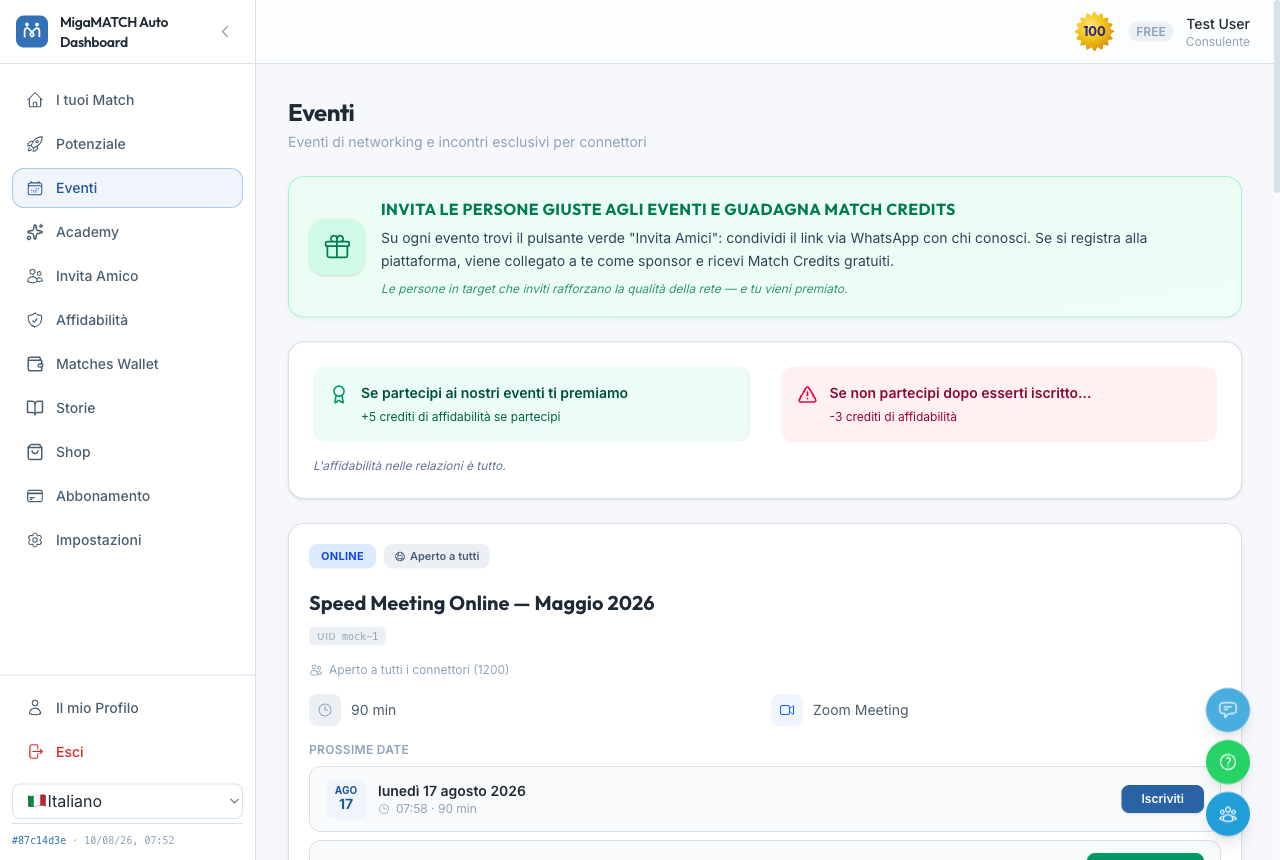
- Events can be online (on Zoom, with a personal link you receive via reminder) or in person.
- Events are suggested to you based on affinity: off-target ones appear at the bottom, greyed out, so you know they exist but don't waste time on them.
- Some events are reserved for members with a subscription; if you have free trials available, an amber badge lets you know.
- On every event you'll find the "Invite Friends" button: if the people you invite sign up to the platform, they are linked to you as their sponsor and you receive free Match Credits.
Events with a paid ticket
- Some in-person events require a ticket. On those cards the button is not “Register” but “BUY THE TICKET” and it takes you to the store: price and the cancellation terms are written under the button. The number of seats left only appears once the room is nearly full: while plenty are still free that number tells you nothing useful, whereas the last few seats are information that really counts. If you don't see it, it simply means there is still room.
- The price you see is always the one in force as you look at it: it can change on a set date, and the card knows. Full room ⇒ “Sold out”; sale not open ⇒ “Sales closed”. Two different things, and the card keeps them apart. The number of seats you see is an indication and can disappear while the ticket is still on sale: the only signal that counts is the button — as long as you can buy, the seat is there.
- A ticket requires a VAT number: it is a business-to-business sale.
- A seat you paid for cannot be lost with one click. If you try to unregister, the platform stops and offers two explicit routes: request a refund or give it up with no refund, behind a second confirmation. Until you choose, the seat stays yours.
- A refund is asked from support, and that is the only route: in Store → MY ORDERS & INVOICES, on every paid order, the “Ask for help” button opens a request about that order in one click; in its place you get the confirmation “Request sent: we will answer by e-mail.”. The terms: 100 % more than 30 days before the event, 50 % between 15 and 30 days, no refund in the last 15 days — the unregister dialog tells you which one applies today. The request is handled by hand by our team: nothing is returned before approval, and if the order was not paid by card the approved amount comes back by bank transfer.
- It is the same request, on two channels. On the web you open a support request and we answer by e-mail; in the app the same button opens the support WhatsApp chat, with your order number already written into the message — nothing to look up. Terms and timings are identical: a refund is decided by a person either way, so asking for one starts a conversation instead of filling in a form.
- Some of these events also offer free entry through a personal gift code, given out by our staff to team members, employees of client companies, or as part of special promotions: it isn't something you buy. If you hold one, redeem it from the banner at the top of this page or the “FREE TICKET” button on the card of the event it belongs to; if you're already signed in, the registration form comes pre-filled with your saved details. The form asks only for what it takes to let you in — first and last name, email, phone, address, plus the privacy and Terms consents: tax code, company name and VAT number are all optional, and if you don't have your tax code to hand, the link “I don’t have my tax code to hand — continue without it” takes you through anyway. A gift entry generates no invoice, so there is nothing to make one out to.
Why does cancelling a paid seat take two steps?
The “Unregister” button is the same one for a free webinar and for a day you paid for, and while the platform could not tell the two apart, one distracted click could give a ticket away without asking anyone anything. A paid seat now behaves like what it is — something you bought: it is only taken from you if you say so twice, and the normal route is to ask for a refund, not to throw it away.
Buying a ticket for someone else
- When the cart holds a single ticket, the checkout asks “Who is this ticket for?”: choose “For me” or “For someone else”. In the second case you give the recipient's email and last name and press “Verify account”: only once it is confirmed can you pay.
- The person receiving the ticket must already have an active MigaMATCH account. This is not an invitation for a stranger: to bring someone onto the platform who isn't there yet, there is another route — the gifted Match Credit.
- The order, the payment and the invoice stay yours; the seat, the confirmation email, the reminders and the entry go to the person you named. If the cart holds anything else — a bundle that also includes a free entry, for instance — the ticket cannot be made out to a third party: buy it on its own.
- The name can be changed later too. In Store → MY ORDERS & INVOICES every paid ticket shows who it is made out to and offers the “Change ticket holder” button, with the same email-and-last-name check. The changes are limited in number — the order tells you how many you have left — and they close shortly before the event, once badges and catering are settled: that date is written on the order too.
- The right to change the name belongs to whoever bought it, not to whoever holds the seat right now: if a ticket was offered to you, you cannot pass it on to a third person yourself — you ask the person who offered it.
- Whoever loses the seat receives an email explaining that the ticket has moved to someone else — not an unregistration message — and stops receiving the reminders. No reliability penalty: they cancelled nothing. Whoever receives it gets the registration confirmation straight away, the reminders, and the name of the person who offered it.
Why do we also ask for the last name?
Because with an email address we verify, we never look up. If the address alone were enough, anyone could find out who is behind an email simply by typing it into our checkout. Asking for email and last name together lets us confirm the account is the right one without ever revealing anybody's name to you: the second field is not red tape, it is the reason a stranger cannot look your name up either.
If the ticket was offered to you
- In Store → MY ORDERS & INVOICES you'll find the “Tickets you have received” box: event, date, venue and “Offered by…”. No price and no order details, because that purchase is not yours.
- If you cannot attend, from the Events page you can choose “Give it up with no refund”. The dialog asks twice and says it plainly: the action cannot be undone, and nothing is refunded to you because somebody else paid for the ticket.
- Warn the person who offered it first, and not only out of courtesy: while the seat is still yours, they can put it in someone else's name with one click. If you give it up instead, the seat goes back into general availability, and putting it in a colleague's name then has to go through our support — a much longer way round than a message sent in time.
The Social badge

Attending consistently earns you the Social badge, which says one thing about you: you show up. Any event counts, online or in person, and it arrives on its own once your recent attendances reach the threshold; the Reliability page always tells you how many you are still missing. Unlike the Executor badge, which stays once earned, Social is a snapshot of the last few months: stop turning up and it withdraws on its own, silently, then comes back when you do. Other people read it on your match card and inside the report, before they have even met you.
Why reward attendance instead of punishing absence?
Seats are limited: if you know you can't make it, unregister in time and the seat goes back to someone who wanted to be there. But the lever is the reward, not the threat: attending is worth +5 reliability credits and, with continuity, a badge other people can see. A recognition that depends on the last few months pushes you to be there far more than any penalty would, and it fills the events with people who genuinely want to be there — which is exactly why they're worth attending.
Benefits
- You meet network members in person (or on video) who are already selected for their affinity with you.
- You earn reliability credits by attending — and the Social badge if you keep showing up.
- You earn Match Credits by inviting the right people.
- A ticket can end up with the person who will really get value from it — even after it was bought.
12. Academy: learn and earn points
Page: /academy ("Academy" in the menu)
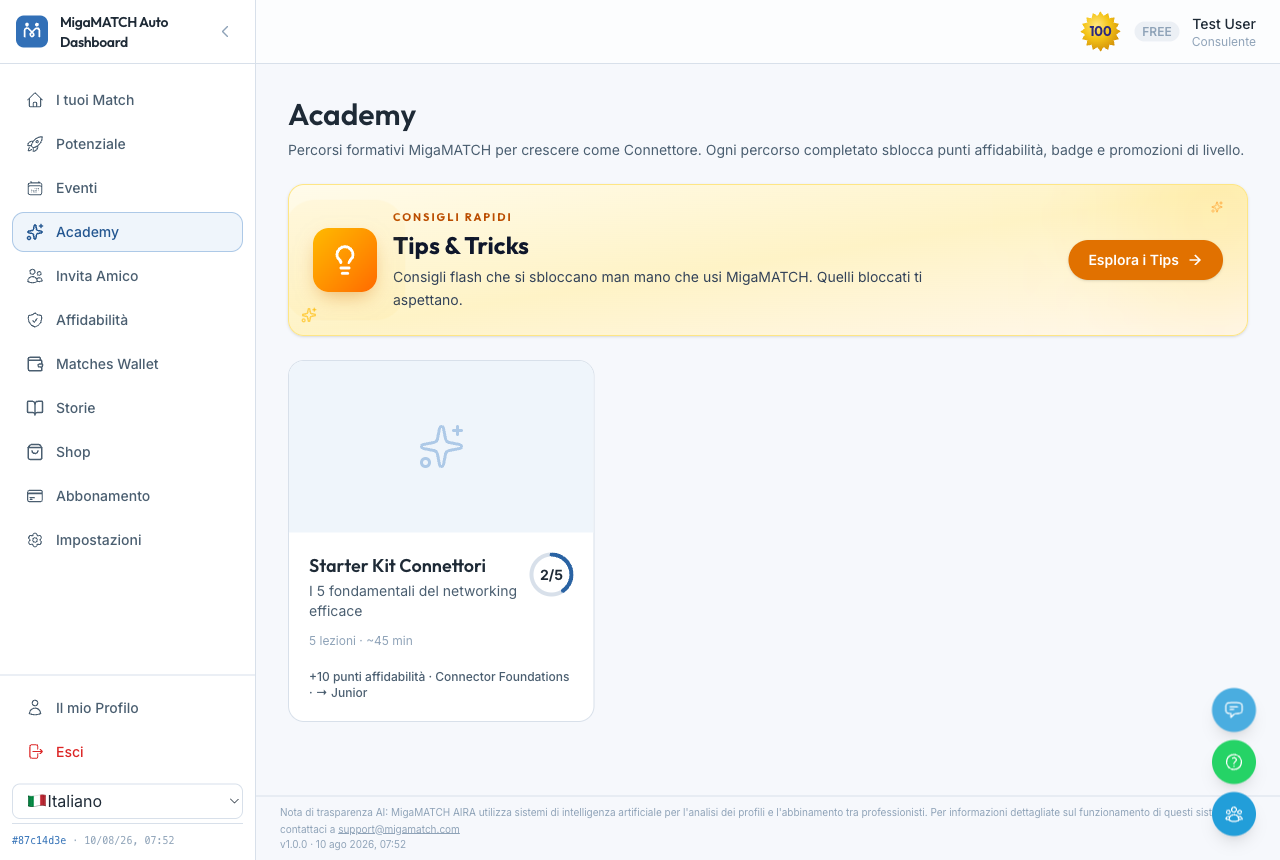
How it works
- Training is organised into paths; each path contains lessons (video, audio, texts, attachments) and each lesson ends with a quiz. You enrol just by opening the path: there is nothing to confirm.
- The first published path is "Come funziona MigaMATCH e ottenere successo con il Passaparola Ingegnerizzato" (how MigaMATCH works, and how to succeed with engineered word of mouth): the full video of the live meeting, with the written summary below it — rules of engagement, how to rate a meeting, how to define your target and your flagship service, how to build a relational archive. More lessons will follow. Path content is in Italian for now, whatever language your interface is set to.
- Lessons unlock in sequence: to open the next one, you must pass the previous lesson's quiz. The quiz can be retaken as many times as you need, and the correct answers appear only after you submit.
- By completing lessons and paths, you unlock Tips — practical advice you can revisit in the dedicated archive — and accumulate points.
- Quiz drafts save themselves: if you close halfway through, your answers are waiting for you.
Why a school inside a matching platform?
Because a match succeeds when both people know how to give and how to receive a referral. The Academy raises the level of the whole network: every trained member also makes everyone else's matches better. And that's why Academy points count in the reliability recovery path: those who want to climb back up prove in practice that they have understood how to be part of the network.
Benefits
- Concrete techniques for turning matches into business.
- Points that help you recover your reliability when you need to.
- Exclusive Tips that remain yours forever in the archive.
13. Invite a Friend: the referral program
Page: /referrals ("Invite a Friend" in the menu)
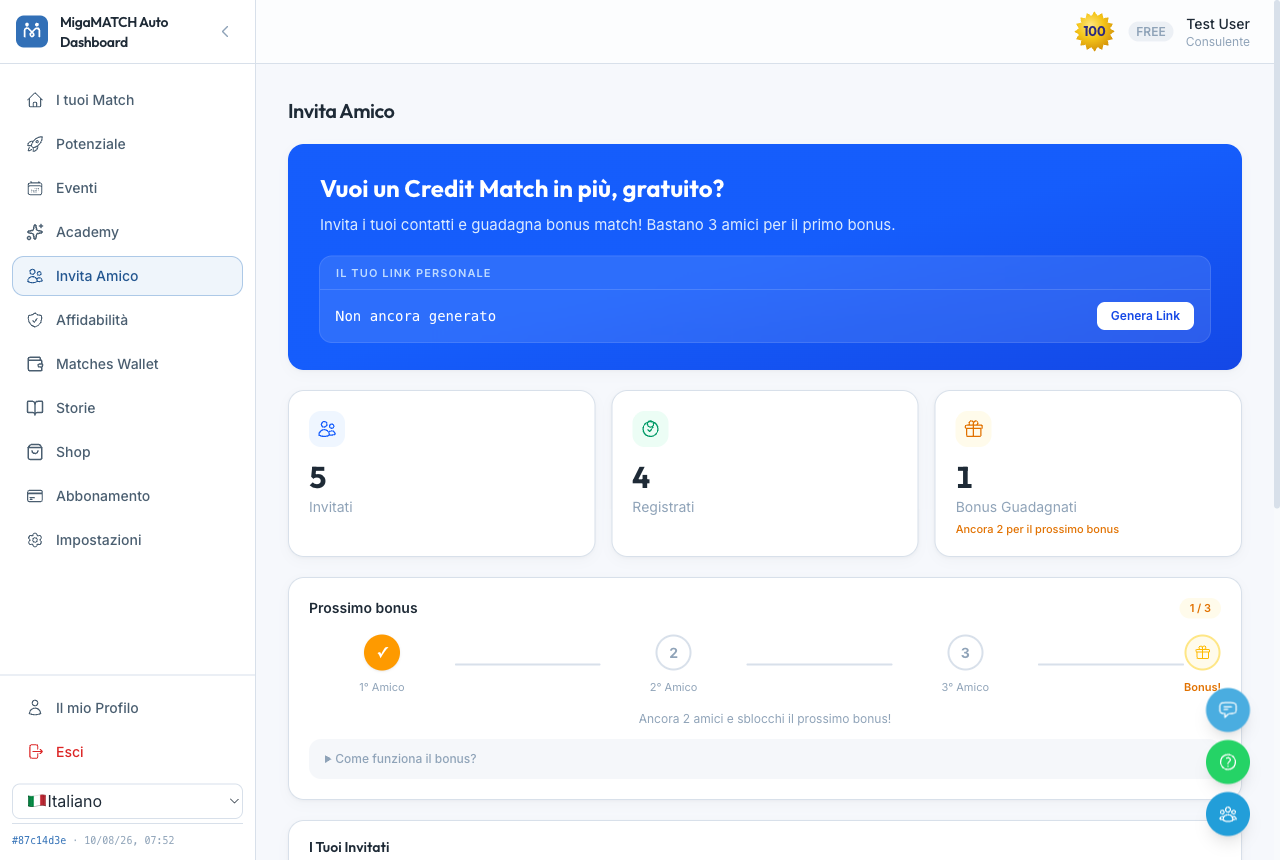
How it works
- You copy your personal link and send it to whoever you like (WhatsApp, email, however you prefer).
- Anyone who registers through your link is connected to you as their sponsor.
- For every 3 invitees who complete their registration, you receive a free bonus match.
- The table shows you the status of every invitation: registered, pending, profile completed.
Why reward invitations?
The value of the platform for you grows with every quality person who joins: more profiles in the database mean more possible matches on your Potential page. When you invite someone, you are quite literally enriching your own pool of opportunities — the bonus match is the way we recognise that. And because you choose who to invite, the network grows through relationships of trust, not advertising.
Benefits
- Free Match Credits without buying anything.
- The people you invite join your own ecosystem: you might find them again as matches.
- Clear statistics on who has accepted and how far along they are.
14. Matches Wallet: your Match Credits
Page: /matches-wallet ("Matches Wallet" in the menu)
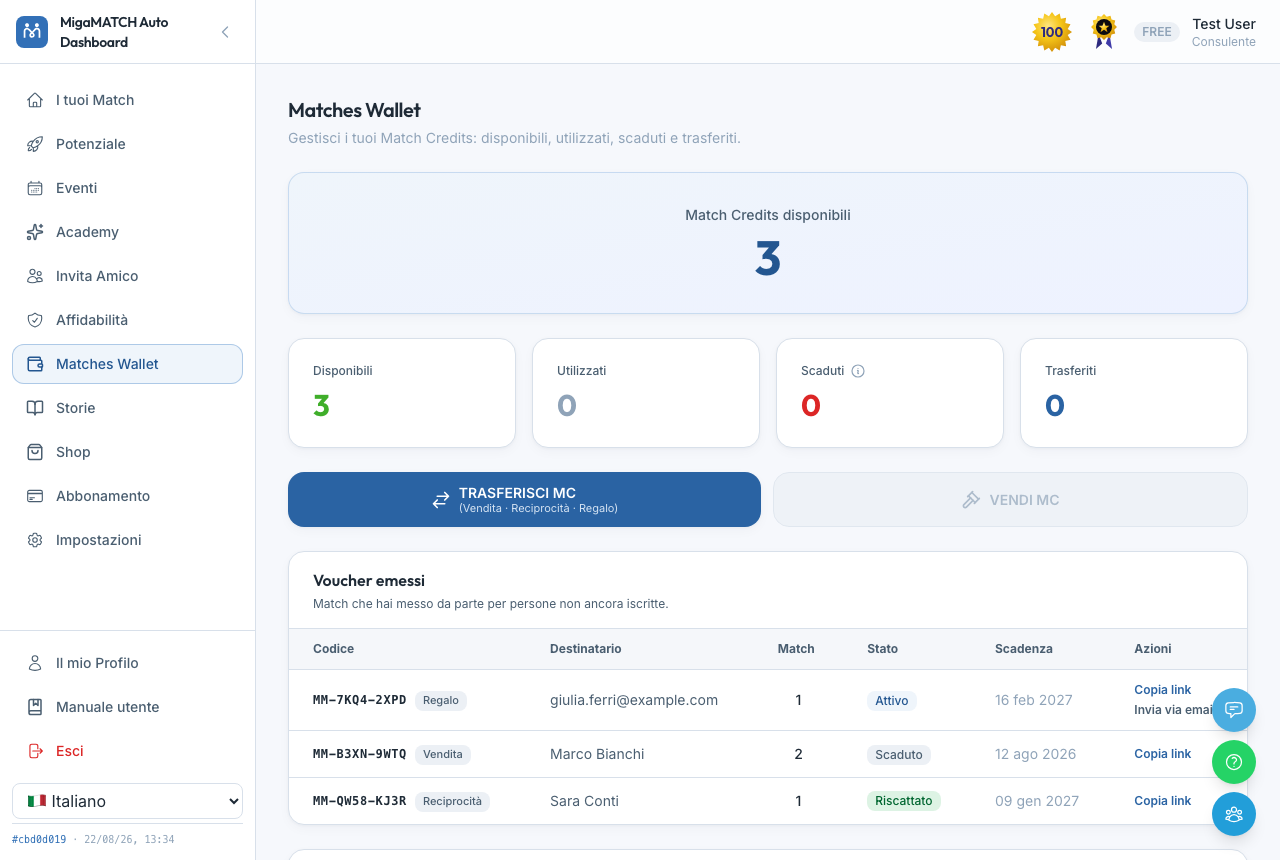
How it works
- A Match Credit is the "ticket" that entitles you to one match delivery. You earn them through your subscription, through invitations, through refunds, or by buying them in the Shop.
- The four cards sum up the picture: available, used, expired and transferred.
- The statement at the bottom records every movement, like a bank account.
- Every credit has its own expiry date, always written in the statement: that date is the one that counts. For credits granted from today onwards the rule is 180 days for free or gifted ones and roughly two years for the ones you bought, received with your subscription, or got back as a refund. Some credits never expire at all, and the statement marks those with “∞”. Credits already in your wallet may carry windows different from this rule: check the date next to each. You don’t have to keep track yourself: when an expiry date approaches we email you — once well in advance and again as the date gets close — telling you how many credits are about to go and by when.
- Transfer MC: you can hand over Match Credits to another person for one of three reasons — Sale (you agree the price between you), Reciprocity (you repay, at no cost, whoever helped you close a deal) or Gift (nothing expected in return) — and the message the recipient gets changes accordingly. Your first transfers are free: the window tells you how many you have left and, on a free one, the «A GIFT!» banner replaces the Card/PayPal choice — there is nothing to pay and the transfer settles at once. After that a small fee applies on your side, always written out before you confirm: it pays for the service, not for the gesture, which is why the first ones are on us.
Why Reciprocity is the most interesting reason
Someone did you a favour and you want to return it by sitting them in front of a contact who is genuinely useful to them. Or you promised reciprocity, the deal came through — and now that it is your turn you have no name worth offering. That is exactly where MigaMATCH steps in: you bring the intention, we find the right name. Whoever receives it pays nothing, and we tell them so explicitly: it is a guaranteed Match, given by you.
It works towards people who are not registered yet too — a colleague, a client, a friend outside the network. Only the way it reaches them changes: see below.
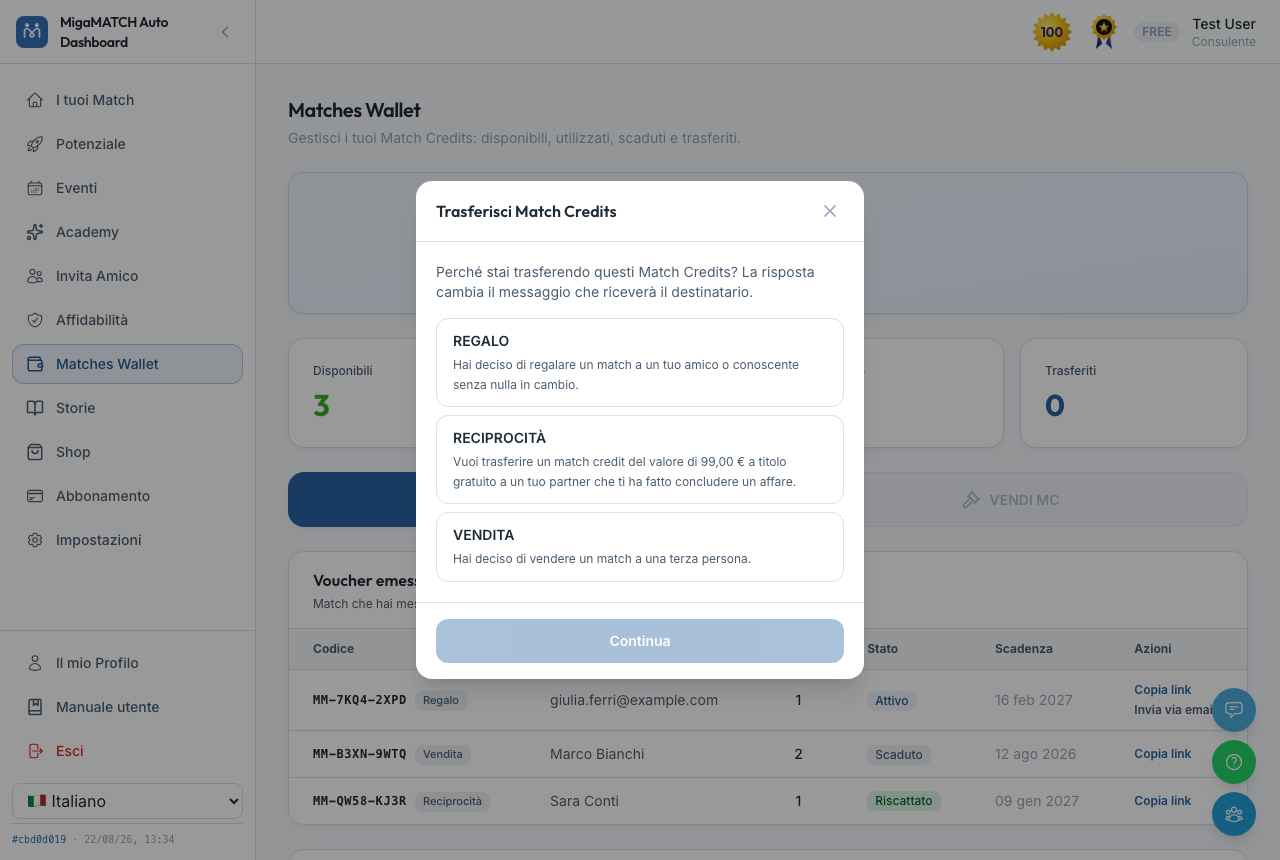
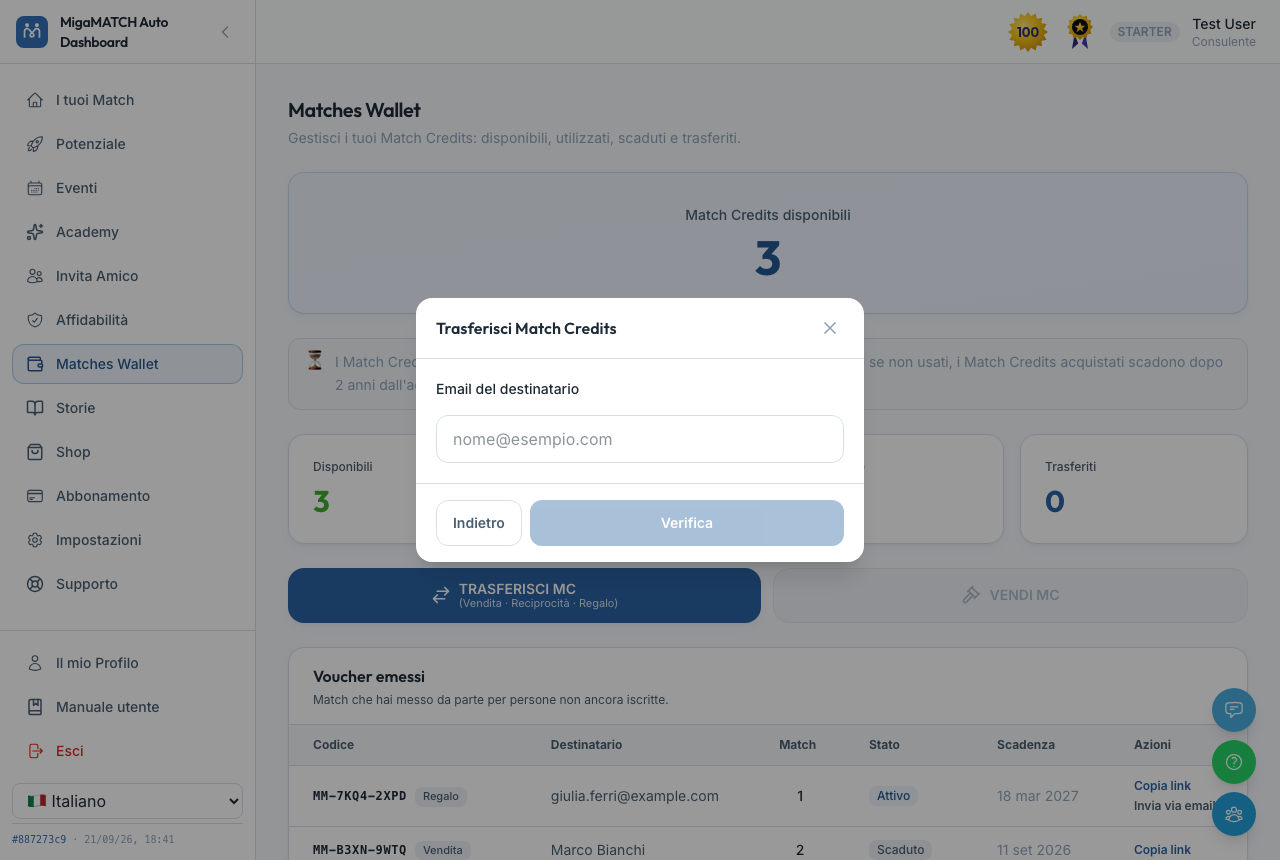
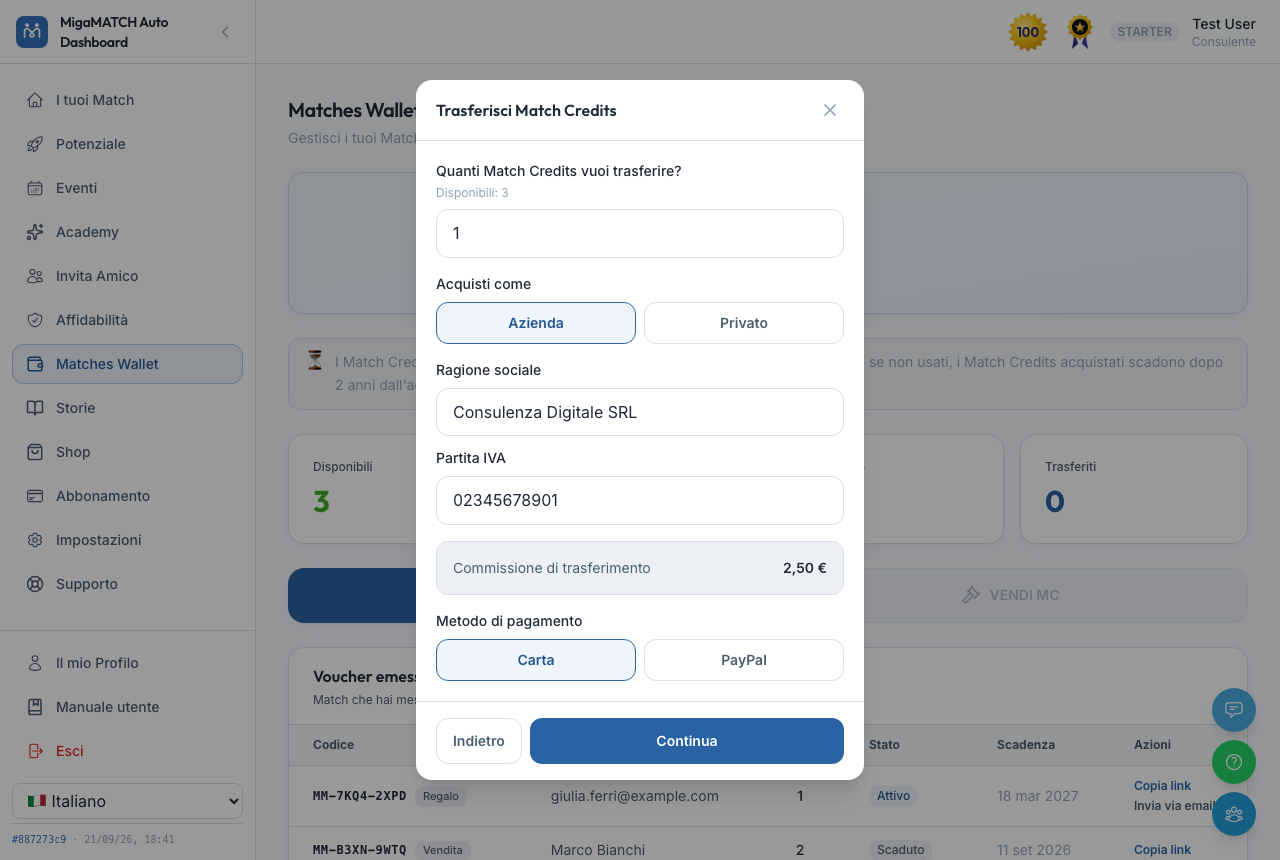
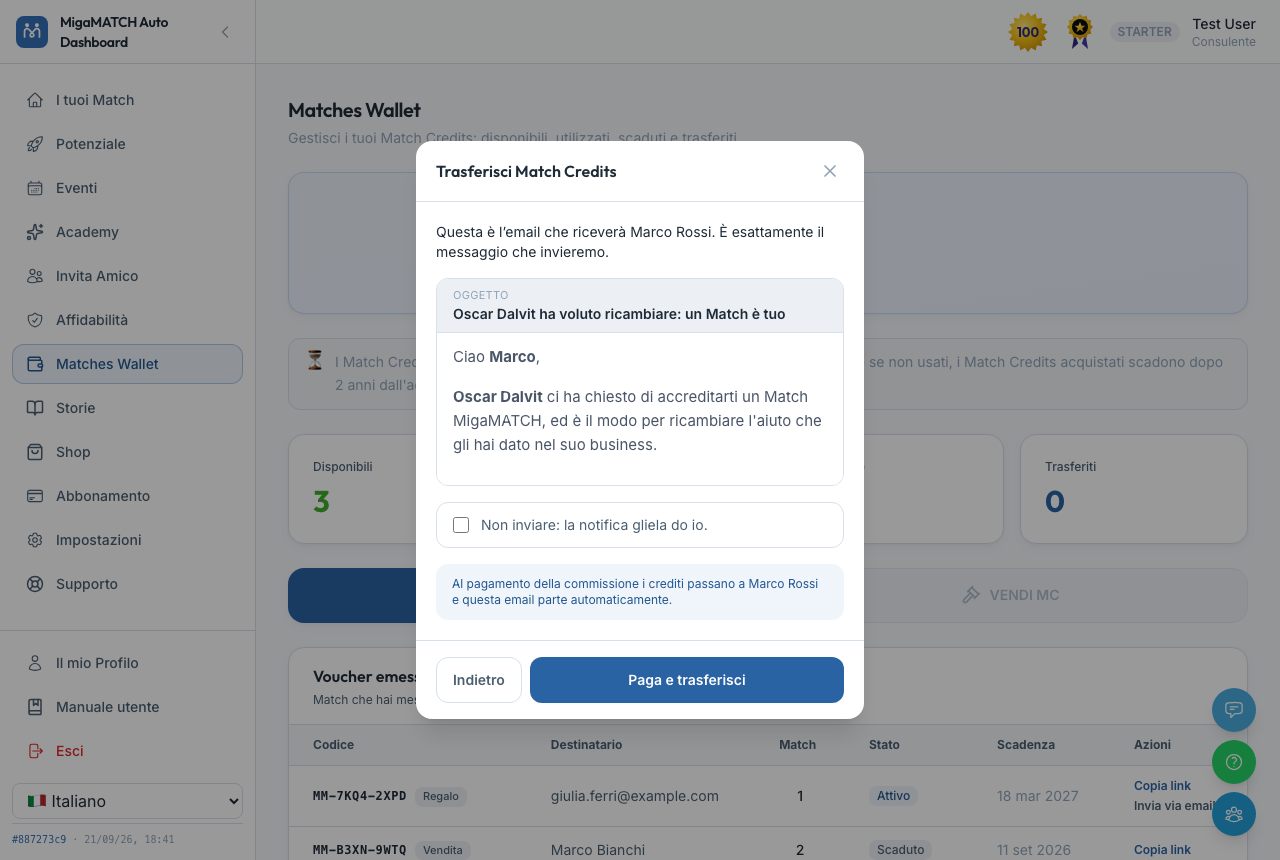
If the recipient isn't on MigaMATCH yet
You can transfer a Match Credit to someone who hasn't signed up yet, too: instead of an immediate credit, they receive a personal code (a voucher, with its own expiry) and a redemption link that you send yourself, by email or message — the platform never writes on its own to an address it doesn't know. The credit stays reserved for that person: it's waiting the moment they finish signing up. Your issued-vouchers list also shows when the link has been opened but registration isn't finished yet — after a couple of days it's worth reaching out to the person directly instead of waiting.
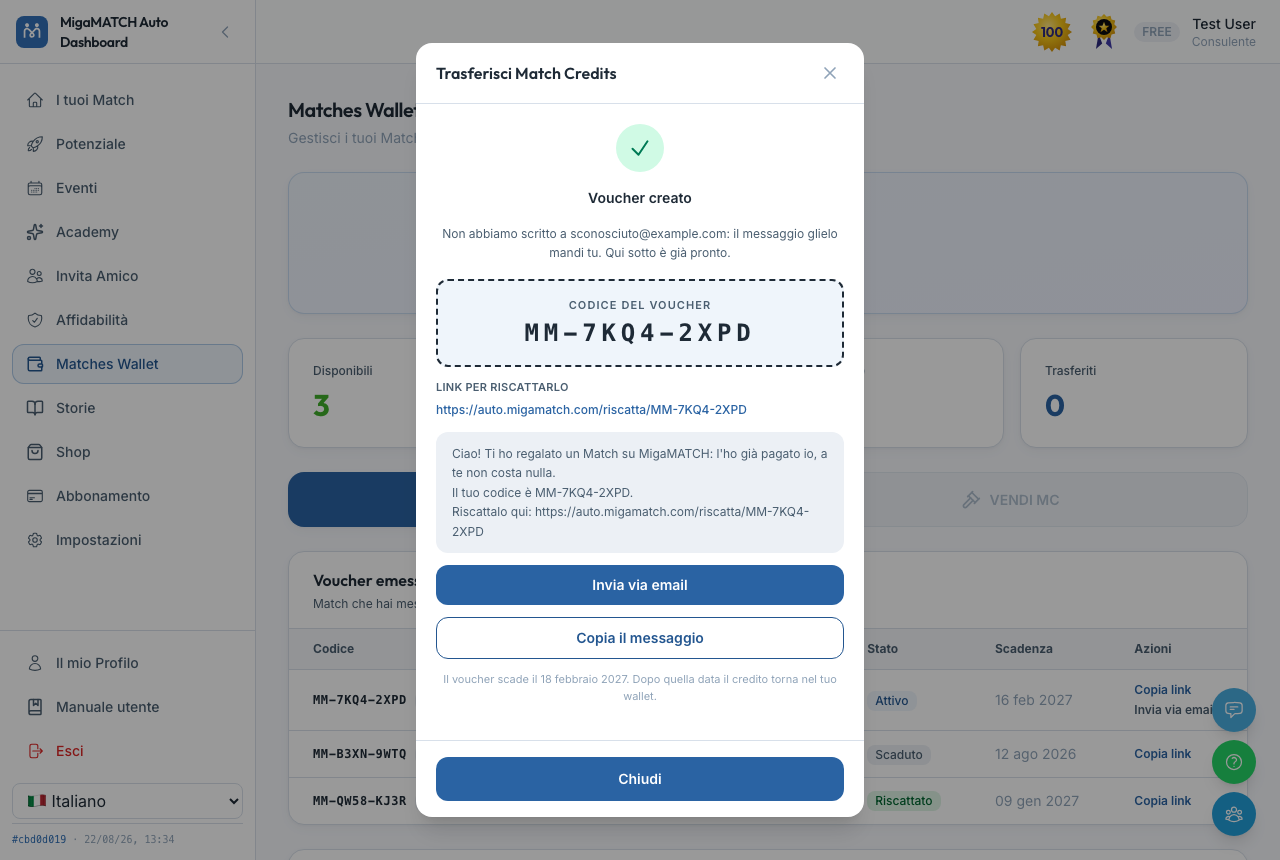
Why a wallet separate from the subscription?
Because credits come from different sources (subscription, bonuses, refunds, purchases, transfers) and have different lifetimes. Keeping them in one single, transparent wallet lets you know at all times how many matches you have available and where they came from — no surprises, and nothing to reconstruct from old emails. The expiry, in turn, is there because a Match Credit is the right to a meeting, not money sitting in a bank: the window is deliberately wide — two years on anything you paid for — so you are never rushed, but it stays a window, because a credit you never use is a meeting that never happens.
Benefits
- Total transparency: every credit has a tracked history.
- Refunds from matches that went wrong land back here, visible immediately.
- Member-to-member transfers let you help a colleague or an invitee get started.
- You can introduce MigaMATCH to someone you don't know yet by gifting them a real meeting, not just a generic invite.
15. Stories
Page: /stories ("Stories" in the menu)
How it works
Stories are short reads — a few minutes each — inspired by real matches in the network, rewritten in a fictionalised form. You'll find them here and at the bottom of the "Your Matches" page.
Why stories in a business platform?
Because numbers convince the head, but stories are what move people. Seeing how a phone call nobody wanted to make became a collaboration between two provinces that had never spoken makes concrete what the algorithm promises in the abstract — and gives you ideas for how to run your own meetings.
Benefits
- Practical inspiration: every story is a small case study.
- A quick read, made for a coffee break.
16. Shop and Store
Pages: /store (inside the dashboard, "Shop" in the menu) and /shop (public store, no login)
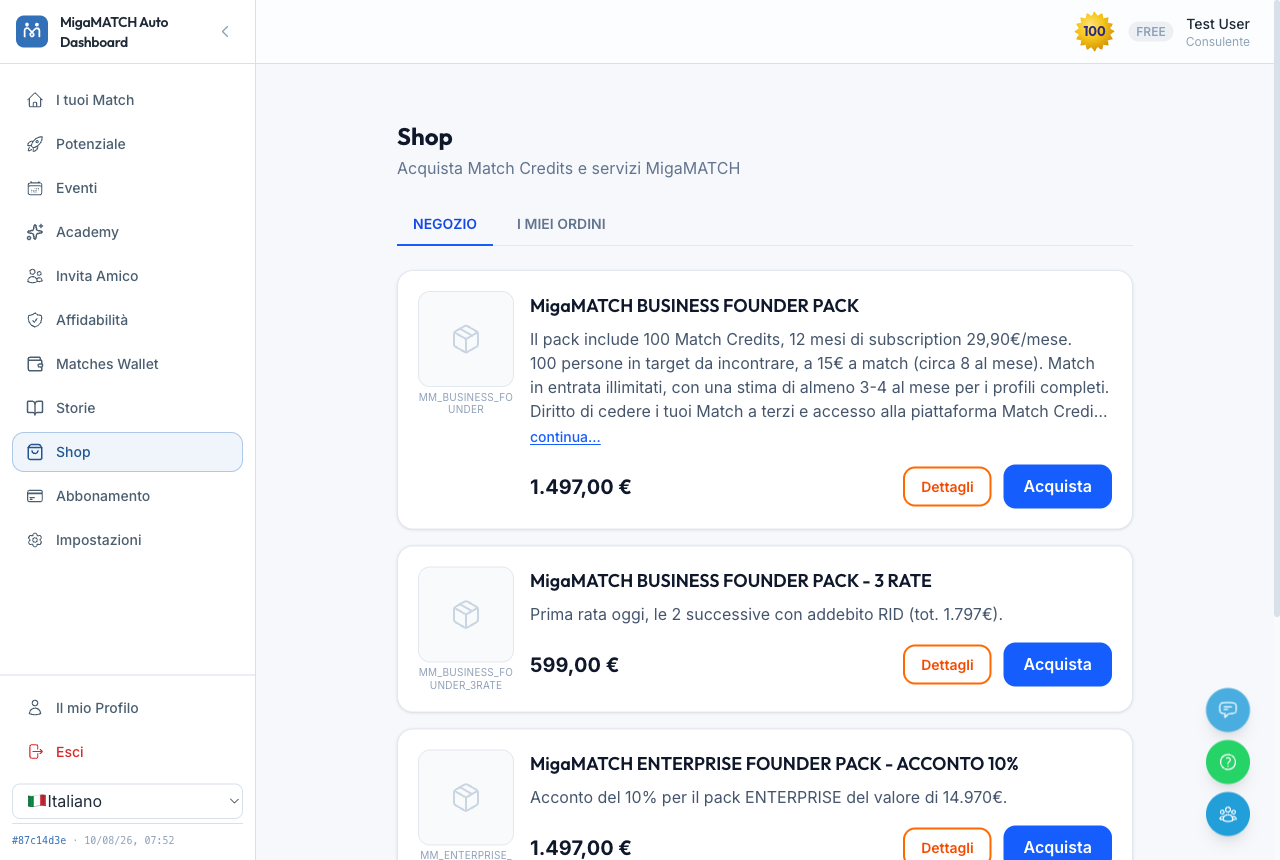
How it works
- Catalogue: the products you can buy — for example single Match Credits, with the credit delivered automatically on payment. If you have an active subscription or reserved conditions, the discounted price appears on its own, with the full price struck through.
- Discount code: the cart summary has a "Have a discount code?" field. Type the code and press "Apply": the promotion's name, a "Discount" line with the amount taken off and the new total appear, along with a "Remove" button to go back to the full price. If you arrive from a promotional link that carries the code, you find it already applied when the cart opens — the green "Code applied:" box with the discount already counted — and you type nothing. Upper case, lower case and stray spaces make no difference. If the code doesn't work, the message tells you what the problem is — expired, not valid for the products in your cart, already used — because each case calls for a different move. One of them clears itself: “You already have an order in progress with this code” means a purchase of yours with the same code is still open — finish it, or try again in a few minutes; there is nothing to raise with support.
- Some codes also connect you to whoever gave them to you: when that happens, the box says so before you pay ("This code will connect you to…"). If you already have a sponsor the line doesn't appear and nothing changes for you: the one you have is never replaced.
- My Orders & Invoices: the history of your purchases, each one labelled with its type — "Purchase", "Subscription" for the first period of your subscription, "Subscription renewal" for the later ones, "Purchase (previous platform)" for what you bought on the platform we used before MigaMATCH, brought across with its invoice so your whole history sits in one place (it is already paid, so it carries no buttons) — with payment status and, for pending orders, the "Complete the payment" and "Cancel" buttons. A note under the tab heading reminds you that invoices are issued within 30 days of the order being registered.
- Your invoices: orders that have documents show an "Invoices" box with the number, the date and "Download PDF" for each one — an order paid in instalments has more than one, and you get them all, not just the latest. The "i" beside the heading explains the tax regime: issued from San Marino to Italy in the electronic SDI format, VAT-exempt and subject to reverse charge, but not delivered digitally — you hand the PDF copy to your accountant yourself. Issuing is automatic: normally the invoice is there the morning after payment, and the 30 days are the outer limit, not the usual wait. When it is issued we e-mail you about it, with the link to open it, so you do not have to keep checking. Until the document exists the row says "Invoice on its way", or "No invoice" when the order carries none, for instance if you gave no tax code or VAT number.
- Credit notes: when an order is cancelled or refunded after its invoice was issued, that document has to be put right, and it can happen in one of two ways. If we issue a credit note, a "Credit notes" box appears below the invoices with the number, the date, the amount taken off — and the invoice it adjusts, when we can point you to it — each with its own "Download PDF"; we normally e-mail you about it too, with the link to this same tab, but if you find a note without having received anything, you have missed nothing. If instead the invoice is annulled, no credit note is created and the annulled invoice disappears from the list along with its "Download PDF": if you need a copy of that document, ask us for it with "Ask for help". If only part of the money came back the note is partial — it is worth the amount returned, not the whole invoice — so the original document stays true for what you actually paid. A credit note is a tax document and is not the money: it reduces the amount of the invoice, and you hand both to your accountant; whether anything is paid back is decided and done by a person, and you ask for it with "Ask for help" on the order.
- "Ask for help" sits beside every invoice and on every paid order, invoices or not: one click opens a request that goes straight to a person, you get a confirmation e-mail, and the button is replaced by "Request sent: we will answer by e-mail.". On that same order, or that same invoice, you get one request per day: clicking again — after reloading the page, say — opens no second ticket and sends no second e-mail, because asking the same thing twice slows the answer down instead of speeding it up; on another order, or the next day, it works as usual. It is also where you ask for a refund. If a PDF cannot be downloaded, "Download PDF" stays where it is, grey and disabled, and says why — "PDF not available: ask us and we will send it to you.": a document we do not show you and a document that does not exist look the same to whoever is looking for it.
- If you bought an event ticket, "My Orders & Invoices" also shows who it is made out to and lets you change that; and if a ticket was offered to you, the "Tickets you have received" box appears. How a ticket is put in someone else's name is explained under Events.
- In the internal store, your billing details are prefilled from your profile.
- You can pay by card, PayPal or bank transfer: with card or PayPal, payment happens on the provider's secure pages, never inside MigaMATCH.
- Choosing "Pay by bank transfer" shows the IBAN, account holder and payment reference right on screen (with a copy button): you make the transfer yourself from your bank, and the order stays on hold for a few business days until we confirm the payment.
- Paying in instalments: some products, such as MigaMATCH Omnia, can also be paid in three instalments. The checkout shows the schedule with the real dates ("Today", the next two dates and the "Total") and a single button, "Pay the first instalment: card or SEPA debit"; to proceed you tick the authorisation for the following instalments to be charged automatically to the same payment method, so you know from the start when each charge will happen. When you come back you see "First instalment received" (with SEPA debit the confirmation can take a few days) or "Payment cancelled", in which case nothing has been charged. An instalment product goes in the cart on its own: buy anything else in a separate order.
- "Your MigaMATCH Omnia": if you have MigaMATCH Omnia, a card in My Orders & Invoices tells you until when it is valid and when it renews, at what amount: the price stays locked even if the list price goes up. If you pay with Stripe, the payment method stays securely saved for the annual renewal, and the checkout tells you so before you pay; we notify you 30 and 15 days before expiry. "Cancel" up to 15 days before expiry stops this renewal; after that, the button becomes "Cancel from next year" and the cancellation applies from the following year. You can take it back with "Withdraw the cancellation". The card also shows when a renewal is in progress or when automatic renewal is switched off.
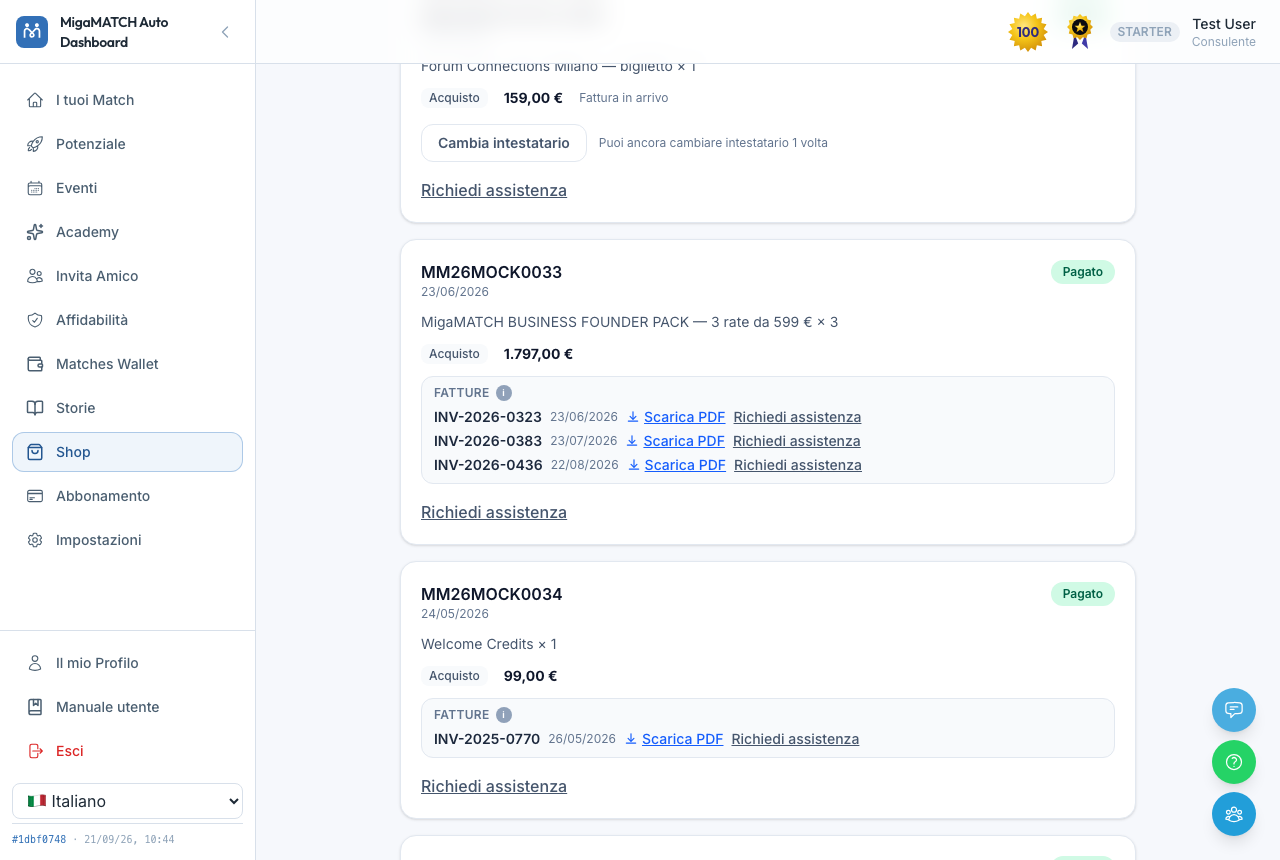
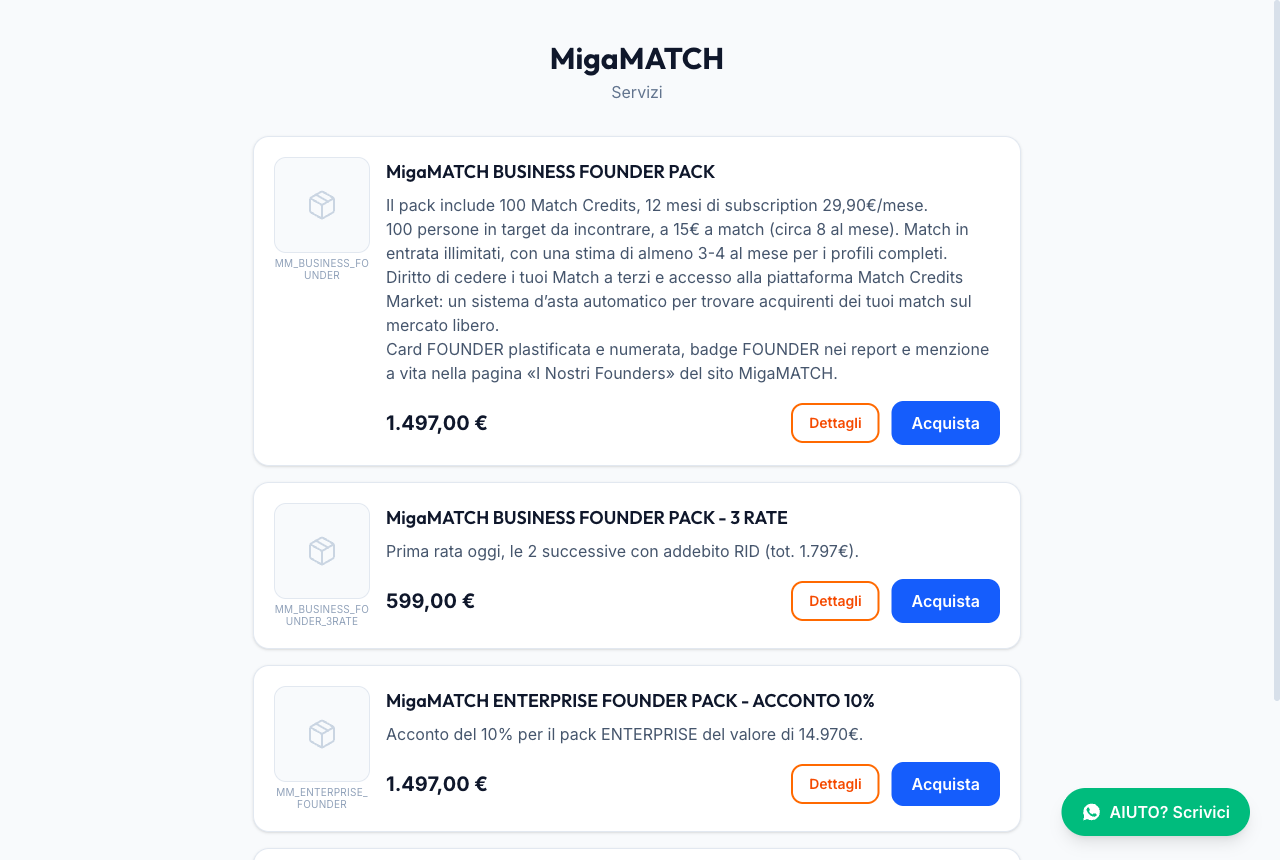
/shop: the same checkout, accessible even without login (useful for promotion links).Why do prices "appear" instead of being written into the page?
Every figure you see — prices, discounts, taxes, total — is calculated by the server at that very moment; it is not written into the page. That way the price you see is always the true one: if you're entitled to a discount, you get it automatically, and no display error can ever make you pay a different amount from the one shown.
For the same reason, a code that was refused stays in the cart and keeps the payment buttons disabled until you correct it or remove it: the total never quietly climbs back to the full price, so you can never end up paying in full while believing a discount is active.
Benefits
- Extra Match Credits when you need them, without changing your subscription.
- Reserved discounts applied automatically, plus promotional codes that take effect in one click whenever you receive one.
- Tidy invoicing: every order, every invoice and the credit notes that adjust it in the same place, downloadable as PDF — and one button to ask us if something is missing.
- Instalments with clear dates from the start, and your MigaMATCH Omnia renewal (date, amount, cancellation) on a single card.
17. Subscription
Page: /subscription ("Subscription" in the menu)
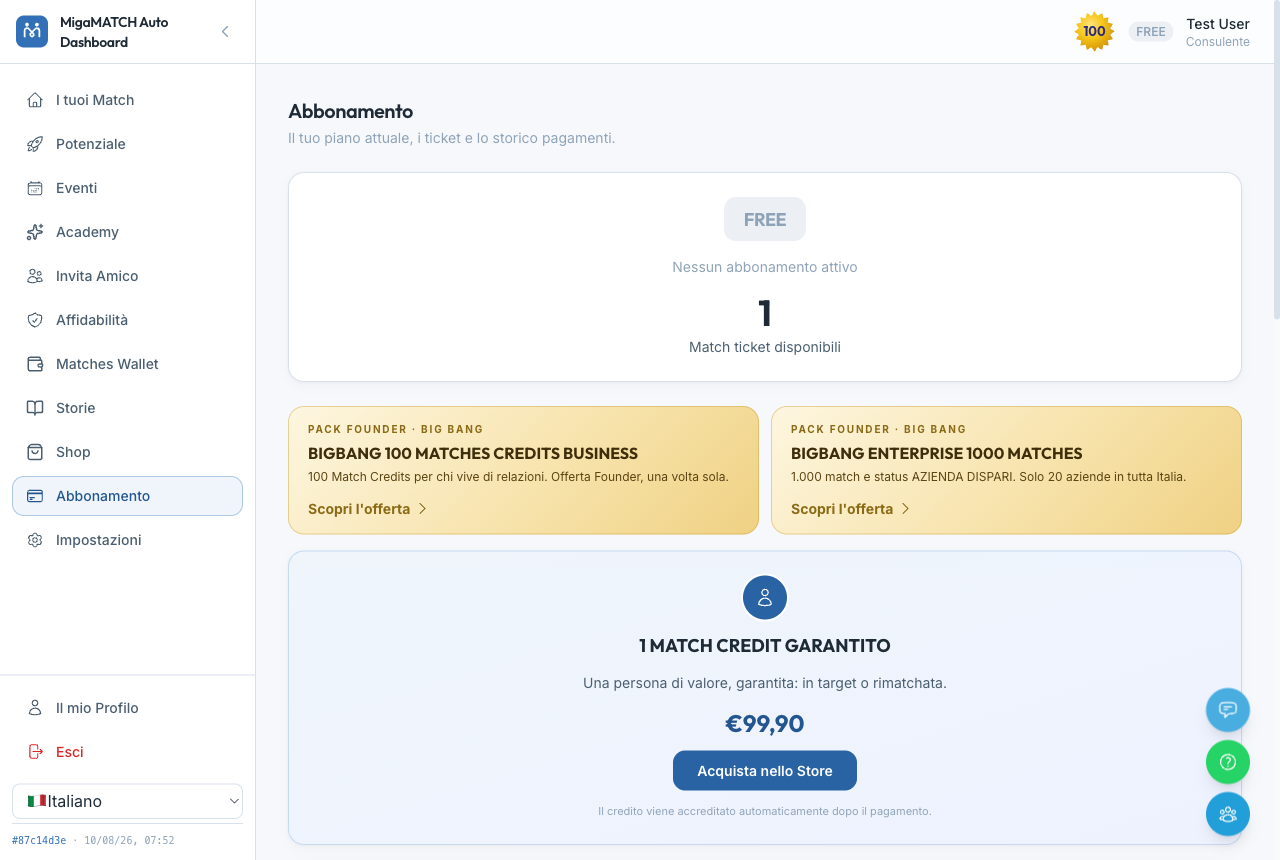
How it works
- The page presents the offers available to you: they vary with your profile and your plan (users without a plan see the entry promotions; users with one see their active plan and its management).
- Without an active plan the flow of matches shrinks to a minimum: at most 1 match a month, and only if someone else picks you — which is why the match pace in Settings stays locked until you subscribe. With a plan the pace is yours again, up to 20 matches a week, and you are also introduced to subscribed companies and members: whoever has invested in the network is also the one with the most reason to do business with you.
- When the flow stops, a window tells you there and then, and explains why results grow with the number of meetings: the more you have, the better AIRA understands who you really need to meet. From there you can activate a plan or press "CONTACT ME": the window answers "✓ We will call you by the next working day" and there is nothing else to do: we call you, and pressing it twice does not produce two calls. As long as you hold purchased Match Credits (not earned or gifted ones) the flow does not stop: someone who buys is a customer just like a subscriber.
- Before the payment page you fill in your billing details: first and last name, "Mobile phone", "Billing address" — which you must pick from the suggestions, an address you only typed is not accepted — and your tax code, or "VAT number" and "Company name" if you buy as a business — and only then do "SDI code (optional)" and "Certified email — PEC (optional)" also appear, which you can leave empty: a San Marino invoice is issued on the VAT number alone, and we collect them only for future convenience; then you accept the privacy policy and the Terms and Conditions. It is the same checkout as the Shop, with the fields already pre-filled from your profile. Your account email is shown but not editable: the purchase is always filed under it.
- With an active plan you'll find "Change plan", "Manage payment method" to update your card on your own, plus the cancellation flow.
- "Change plan" works on the same subscription: you never start a second one, you are never left uncovered, and you are not asked for your billing details again. Moving to a more expensive plan is immediate — the days you have not used are credited, a new full period starts at once, the payment is taken from the card already on file, and the new match allowance applies from that moment; if the card declines, nothing changes and we ask you to update your payment method. Moving to a cheaper plan is scheduled for your renewal, and until then the page says so: "Switch to … scheduled for …".
- Changing plan yourself works for subscriptions paid by card: if yours is managed some other way, write to us and we will sort it out.
- Companies have a dedicated card. If you are the Referral Director of an active company you can activate the Company plan right away, monthly or annual ("Activate the Company plan"): it is for businesses only, so the purchase is invoiced to the company and a VAT number is required. In every other case the application stands as before — subject to selection, with a call with a consultant.
- Every plan shows its features and, where available, a presentation video.
Why is moving up immediate and moving down not?
The period you have already paid for is yours to the last day: ending it early would mean taking away matches you had bought. That is why moving to a lighter plan waits for the renewal and produces no refund — you lose nothing, you simply use up what you paid for. The opposite direction follows the same principle: when you move up, the days you have not used are credited, so you never pay twice for the same period.
Why three different concepts: level, subscription and Master?
MigaMATCH has three independent forms of recognition, and telling them apart saves you confusion:
- Experience level (Standard → Junior → Pro): it is earned through training and activity — it cannot be bought.
- Subscription (e.g. Business): you choose it, and it determines how many matches you receive each month.
- Master: a recognition for those who have closed deals through the network.
This way reputation is never confused with a wallet: an experienced free member remains more authoritative than a brand-new subscriber.
Benefits
- More matches per month, in proportion to the plan you choose.
- Self-service management of your plan, your payments and your cancellation, without writing to support.
- Access to members-only events.
18. My Profile
Page: /profile ("My Profile" link at the bottom of the menu)
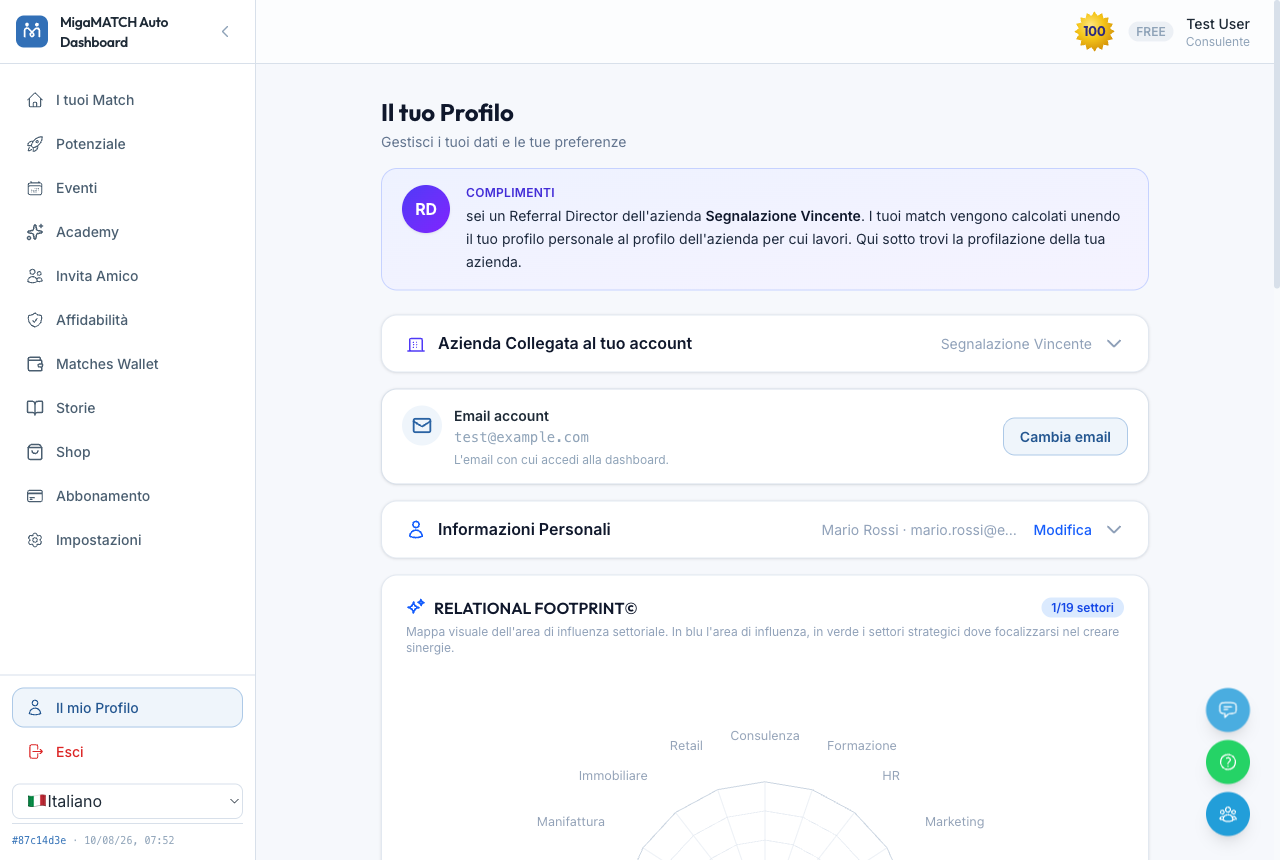
How it works
- The profile is organised into collapsible sections: personal details, Strategic Interest Sectors, company details, profiling, influence areas, network, motivations, consents.
- Each section saves independently: you edit only what you need, without going back through the whole form.
- At the top you'll find your matching type, always visible, saved instantly.
- In "Personal Information" you can upload your photo ("Upload a photo") and crop it square: it appears on match cards, in reports and on the Business Radar, so that people who receive your name see your face first.
Strategic Interest Sectors: where you look for the people who introduce you
Here you pick up to 6 sectors, and they are the sectors where you are looking for bridge people: not your clients, but whoever can introduce you to them. They are the mirror image of your influence area — there you declare the doors you can open, here the ones you would like opened for you — and they light up in green on the report radar. Why this is not “what you are looking for”: your ideal client is not a sector but a description, and it lives entirely in the “What are you looking for” field (the client avatar); mixing up the two fields is the fastest way to get off-target matches. Benefits: keeping them apart lets AIRA know both who you want to be introduced by and who you want to reach.
Why is it always worth updating your profile?
When you save a relevant change (biography, sectors, areas, goals), AIRA automatically recalculates your matching profile — usually within about ten minutes, with nothing else for you to do. An updated profile immediately changes the quality of the matches and events you are offered: if your business evolves and your profile stands still, AIRA keeps working on the old version of you. And if your matches don't seem in target, the checklist for refocusing your biography, client avatar and influence area is in section 3.
Benefits
- More precise matches with every update — the effect is automatic.
- Quick edits: only the section you need, when you need it.
- The warning bars on the dashboard alert you if something important is missing (e.g. empty influence sectors).
19. Settings
Page: /settings ("Settings" in the menu)
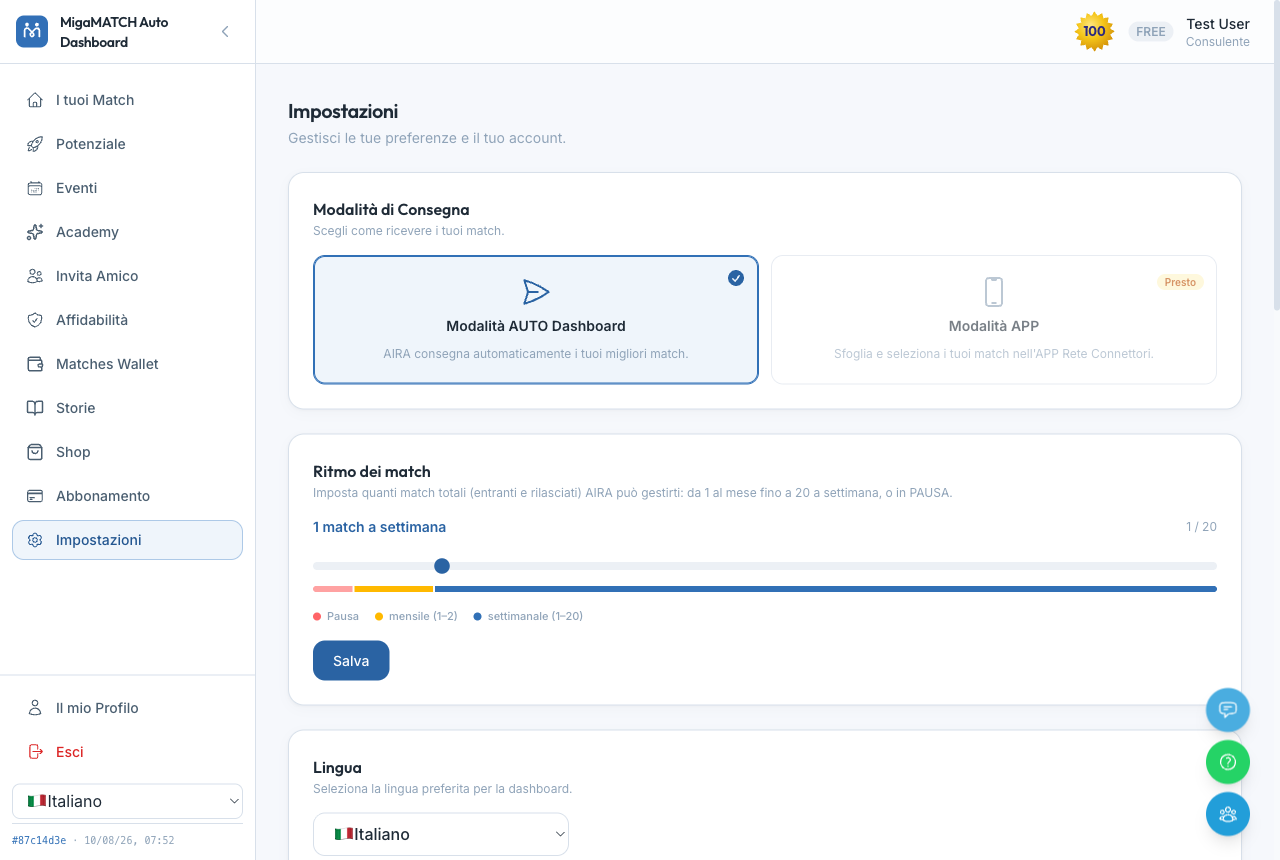
How it works
- Match pace: a slider running from pause (on holiday? too many open matches?) up to 20 matches per week. The pause lasts 30 days and also stops promotional communications: only service messages continue, about what you already have in progress. When it expires, deliveries resume automatically at 1 match per month, and you can change the pace or pause again whenever you like.
- When the slider is not enough: without an active subscription it is locked, because the free plan is capped at 1 match a month; and if you have overdue feedback, deliveries stay suspended until you leave it, so raising the limit does not resume them. In both cases a box under the slider explains it, with the link to put it right.
- Deliveries suspended: a rare case, and a different one from the pause. If the platform has suspended your deliveries, the slider stays pinned to “Paused” and cannot be saved: a box reading “Deliveries suspended” tells you so, with no date: this is not a timed pause and it does not restart on its own. It is lifted by writing to support.
- Pause on request too: you don't have to come here for it. Tell support you are travelling, on holiday or simply too busy right now, and we offer to set the pause for you; confirm, and we set it, with an email that leaves you the link to change it.
- Language: Italian, English, German, Spanish and French. The choice applies to the interface and to what you receive: emails and WhatsApp messages arrive in the language you set here (a few less frequent messages are not translated yet: those arrive in Italian). If you had already chosen yours and your messages still arrive in Italian, select it once more: the preference used to stay on your device, now it is saved to your account.
- Email preferences: choose which communications to receive.
- WhatsApp communications: a single switch which, when off, silences every WhatsApp message from the platform. The same switch also goes off if you reply STOP to one of our WhatsApp messages, without coming here; to turn it back on you return to this page, or use the link in the confirmation email. Emails are untouched: they carry their own unsubscribe link.
- Business Radar: the switch "Show me as a preview in the Business Radar" decides whether you can appear as an anonymous preview in Radar searches. Turned off, the preview disappears at once. It is not shown if you have a live showcase, because there you appear with that.
- At the bottom: a link to your profile and unsubscribing from the service, usually with 14 days to change your mind (see Unsubscribing and personal data).
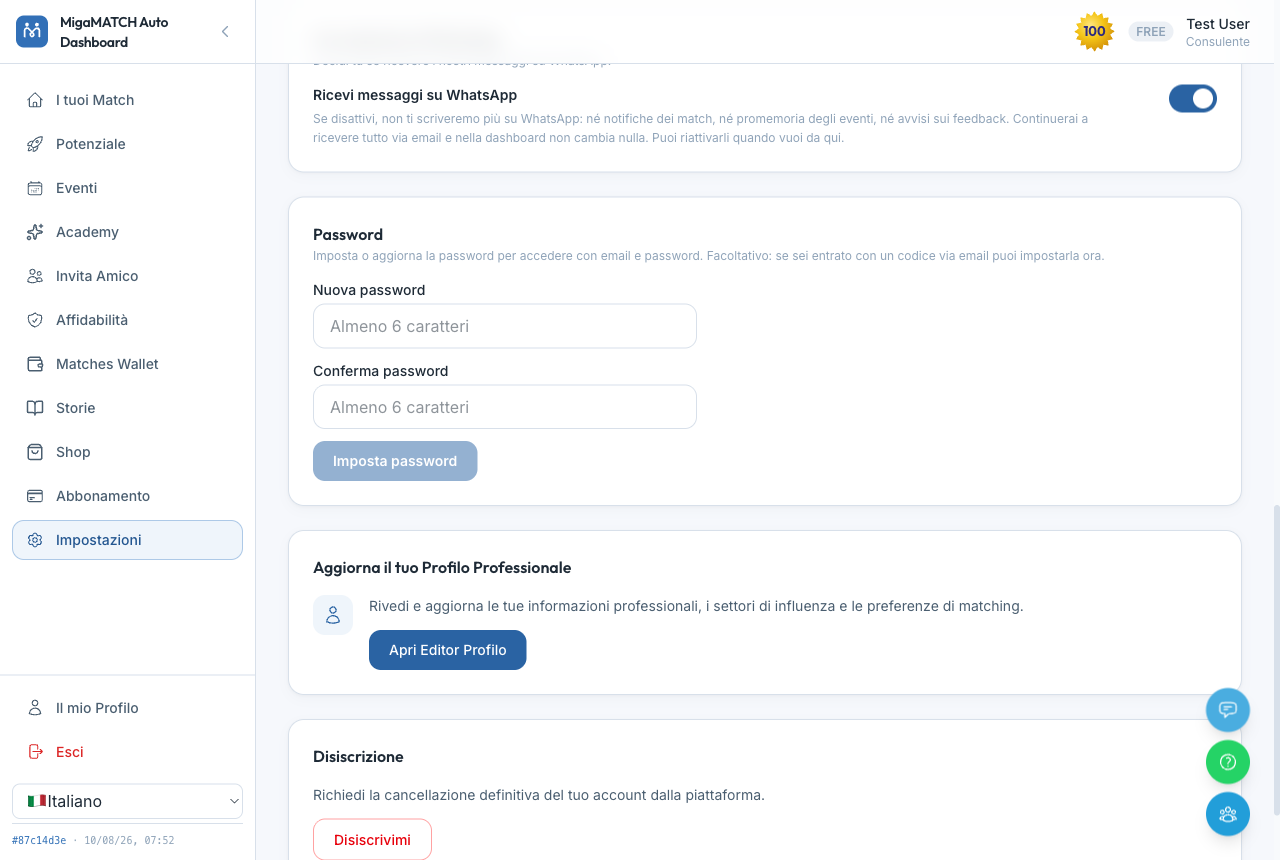
Why does the WhatsApp switch really turn off everything?
Because a control that "silences almost everything" is not a control. If you turn it off, you receive no WhatsApp messages from the platform (reminders included) and you get a confirmation email with the link to turn it back on whenever you like. The one common-sense exception: if you write to the platform on WhatsApp, the reply to your question still arrives. Essential communications continue by email.
Why does the pause exist?
A match delivered while you're on holiday or swamped is a match wasted, and another person left waiting. Better to tell the platform: the pause stops deliveries with no penalty, and the automatic resumption after 30 days (restarting at a gentle pace) prevents a temporary pause from turning into an involuntary goodbye. It also stops promotional communications, because someone who asks for a break should not have it contradicted by an offer: only service messages continue, and they are about things you already have in progress. The same reasoning is why asking support is enough: the less friction there is, the more likely someone pauses instead of disappearing. A suspension decided by the platform is a different thing: it is not the closing of your account (you still sign in, the matches already under way stay open and your Match Credits stay yours), but it stops deliveries in both directions, because leaving them open one way would make someone else spend a meeting that cannot go anywhere. Here too only service messages continue, and what restarts deliveries is support, not this page.
Benefits
- The flow of matches adapts to your life, not the other way round.
- Real, granular control over every communication channel.
- Every choice is reversible in one click.
20. Support, privacy and unsubscribing
How to reach us
- The "Support" page: open it from the menu or from the "Support" button always visible at the bottom right of the dashboard; it brings together every channel below.
- "Open a request": pick a topic. For how the platform works (matches, reports, feedback), login and password, profile, events, Academy, pausing or match pace, our WhatsApp assistant answers right away, with the message already written; if needed, it passes the request to an operator. For correcting your data, invoices, payments and refunds, subscription and cancellation, a problem with a connector or a company, duplicate accounts, privacy, an app bug or a complaint, write a subject and a message: a new ticket opens for an operator, with its own number ("Ticket T-1234") and a confirmation email. Up to 5 requests a day.
- "Your conversations": one row per ticket, open or closed, with its number, status ("Open", "Waiting for you", "Closed") and dates. An operator's emails end with the ticket number, and on WhatsApp you find it in an operator's first message: quote it if you write to us again.
- "Chat on WhatsApp": technical support runs through our Chatbot on WhatsApp, which escalates the request to a human operator when it considers it appropriate.
- "Have your say": the card on the Support page and the light-blue button at the bottom right open the same form for suggestions, criticism and advice about the platform.
- Community: the blue button takes you to the connectors' Telegram group.
- Email: support@migamatch.com always works too.
- Hours: on email and WhatsApp our assistant answers straight away; when a conversation is handed to a colleague, the team works on weekdays during office hours (Italian time). Outside those hours we tell you when you will be contacted — for example "from Monday morning" — rather than promising a "shortly" we could not keep.
Why two routes, and a new ticket for every request?
Most questions are about how the platform works, and there an immediate answer, at any hour, beats waiting. Data, payments, cancellations and complaints need a person's decision instead: sending them straight to an operator removes a step. And every request opens a new ticket so that today's question is not buried in an old conversation that was already closed: you find it with its own number and status, and whoever answers starts from there.
Unsubscribing and personal data
- You can unsubscribe on your own from Settings ("Unsubscribe me"). The platform first explains the consequences and asks for an explicit confirmation; on the last screen you also find the alternative "Pause for 30 days". You can make the same request from the popup that asks you to complete your profile.
- If you cannot log in, there is a no-login route: the public page
auto.migamatch.com/disiscrivimi. Enter your email and receive a confirmation link valid for 24 hours: confirming from your own mailbox is the proof that it's really you. - Your account closes 14 days after the request, not straight away. You immediately receive an email with the closing date and buttons to cancel: stay as before, cancel and pause for 30 days, consider a 2-month subscription trial, or start again from the Academy or the mentorship sessions in Events; with a Business or Enterprise subscription you can also ask for a call with the team. Each button opens a page where you confirm with one click (you may be asked to log in first). If you log back in to the dashboard during those days, a bar at the top lets you cancel in the same way.
- During the 14 days you receive no new matches and no promotional or match messages; invoices, receipts, refunds, verification codes and support replies still arrive. Matches in progress get 2 extra weeks for feedback, with no penalty; if the account closes they are cancelled and the other person gets their credit back.
- Exceptions: if you choose "Privacy reasons" as your reason, your data is erased immediately, with no waiting period. The same applies if you never completed your profile and never received a match: in that case the unsubscribe is immediate. If you choose "I'm not good at networking" instead, we point you to the Academy (and, if you have a subscription, to a call with the team).
- If you'd rather just stop receiving marketing emails without closing your account, the same page offers the soft option: marketing consents switched off, account intact. And if all you need is a temporary break, the pause stops matches and promotions for 30 days.
- If you never completed your profile, after months of invitations with no reply we close the registration ourselves, with the same effect as the unsubscription described above. It never comes as a surprise: the last email announces it in advance, and simply completing your profile prevents it (anyone with an active purchase is always excluded). Why: a profile that was never filled in cannot receive matches, and keeping it open would only mean holding on to your data and writing to you without giving you anything back.
- When the account closes, your personal data is anonymised, any open matches are cancelled and your remaining Match Credits are lost. Your email becomes free again: you can sign up again, starting from zero.
Why does the account close after 14 days, and not straight away?
Because by the time someone reaches the unsubscribe screen, they decided before opening it: one more "Are you sure?" changes nothing, while two weeks with the door still open let you reconsider with a cool head, perhaps choosing a pause instead of leaving. Meanwhile the platform stays quiet, so the wait never turns into pressure, and matches in progress have time to close without penalty. The explicit confirmation (and, on the public route, going through your own mailbox) stays, because it protects you from accidental clicks and from anyone trying to unsubscribe you without your knowledge. Someone leaving over privacy, though, should not have to wait: that is why their data is erased at once.
The benefits at a glance
- A decision taken at a difficult moment can be undone with one click for 14 days.
- Anyone leaving for privacy reasons is erased immediately, with no wait.
Accessibility of this manual. This document is designed to be accessible: a heading structure navigable by keyboard and screen reader, alternative text on every image, compliant contrast and print support. If you run into a barrier, report it to support@migamatch.com.